Using Blocks
Section Block
Class
SectionBlock(text: Optional[TextLike] = None, block_id: Optional[str] = None, fields: Optional[Union[TextLike, List[TextLike]]] = None, accessory: Optional[Element] = None)
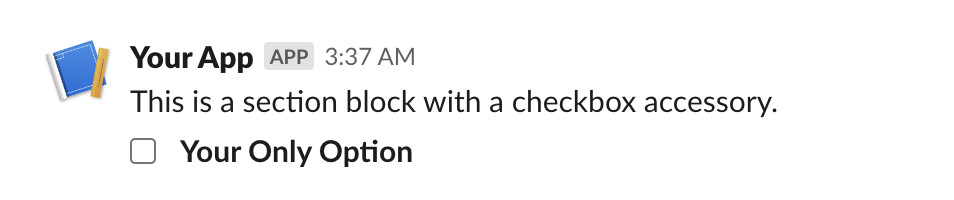
A section is one of the most flexible blocks available - it can be used as a simple text block, or with any of the available block elements.
Section blocks can also optionally be given an "accessory," which is typically one of the interactive Elements.
Arguments
| Argument | Type | Description |
|---|---|---|
text | Optional[TextLike] | text to include in the block. Can be a string or Text object (of eithermrkdwn or plaintext variety). Defaults to markdown if unspecified. One of eithertext or fields must be provided. |
block_id | Optional[str] | you can use this field to provide a deterministic identifier for the block. |
fields | Optional[Union[TextLike, List[TextLike]]] | a list of text objects. One of either text or fields must be provided. |
accessory | Optional[Element] | an optional Element object that will take a secondary place in the block (after or to the side of text or fields). |
Errors
| Error | When |
|---|---|
InvalidUsageError | if any of the provided arguments fail validation checks. |
- slackblocks
- JSON
- Slack UI
from slackblocks import Checkboxes, Option, SectionBlock

SectionBlock(
    text="This is a section block with a checkbox accessory.",
    block_id="fake_block_id"
    accessory=CheckboxGroup(
        action_id="checkboxes-action",
        options=[
            Option(
                text="*Your Only Option*",
                value="option_one"
            )
        ]
    )
)
{
    "type": "section",
    "block_id": "fake_block_id",
    "text": {
        "type": "mrkdwn",
        "text": "This is a section block with a checkbox accessory."
    },
    "accessory": {
        "type": "checkboxes",
        "options": [
            {
                "text": {
                    "type": "mrkdwn",
                    "text": "*Your Only Option*"
                },
                "value": "option_one"
            }
        ],
        "action_id": "checkboxes-action"
    }
}
Rich Text Block
Class
RichTextBlock(elements: Union[RichTextObject, List[RichTextObject]], block_id: Optional[str] = None)
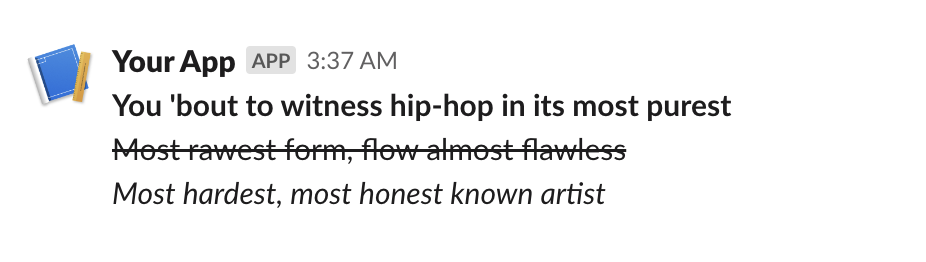
A RichTextBlock is used to provide easier rich text formatting
than standard markdown text (e.g. in a
SectionBlock)
and access to text formatting features not available in traditional
markdown (e.g. strikethrough). See the various rich text elements
you can include here.
Arguments
| Argument | Type | Description |
|---|---|---|
elements | Union[RichTextObject, List[RichTextObject]] | a single rich text element or a list of those elements. |
block_id | Optional[str] | you can use this field to provide a deterministic identifier for the block. |
Errors
| Error | When |
|---|---|
InvalidUsageError | if the elements in elements are not valid richtext elements. |
- slackblocks
- JSON
- Slack UI
from slackblock import RichTextBlock, RichTextSection, RichText

RichTextBlock(
    RichTextSection(
        [
            RichText(
                "You 'bout to witness hip-hop in its most purest",
                bold=True,
            ),
            RichText(
                "Most rawest form, flow almost flawless",
                strike=True,
            ),
            RichText(
                "Most hardest, most honest known artist",
                italic=True,
            ),
        ]
    ),
    block_id="fake_block_id",
)
{
    "type": "rich_text",
    "block_id": "fake_block_id",
    "elements": [
        {
            "type": "rich_text_section",
            "elements": [
                {
                    "type": "text",
                    "text": "You 'bout to witness hip-hop in its most purest\n",
                    "style": {
                        "bold": true
                    }
                },
                {
                    "type": "text",
                    "text": "Most rawest form, flow almost flawless\n",
                    "style": {
                        "strike": true
                    }
                },
                {
                    "type": "text",
                    "text": "Most hardest, most honest known artist\n",
                    "style": {
                        "italic": true
                    }
                }
            ]
        }
    ]
}
Header Block
Class
HeaderBlock(text: Union[str, Text], block_id: Optional[str] = None)
A Header Block is a plain-text block that displays in a larger, bold font.
Arguments
| Argument | Type | Description |
|---|---|---|
text | Union[str, Text] | the text that will be rendered as a heading. |
block_id | Optional[str] | you can use this field to provide a deterministic identifier for the block. |
- slackblocks
- JSON
- Slack UI
from slackblocks import HeaderBlock

HeaderBlock(
    "This is a header block",
)
{
    "type": "header",
    "text": {
        "type": "plain_text",
        "text": "This is a header block",
        "emoji": true
    }
}

Image Block
Class
ImageBlock(image_url: str, alt_text: Optional[str] = ' ', title: Optional[Union[Text, str]] = None, block_id: Optional[str] = None)
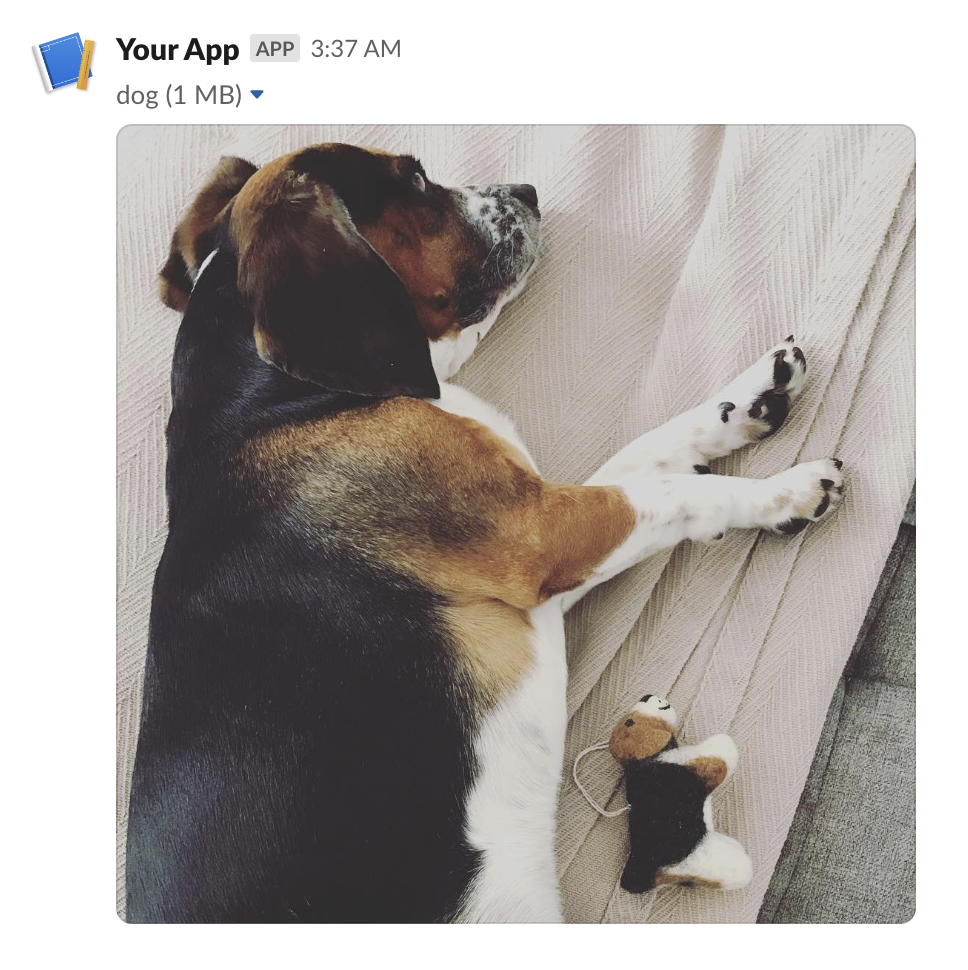
An Image Block contains a single graphic, accessed by URL.
Arguments
| Argument | Type | Description |
|---|---|---|
image_url | str | the URL pointing to the image file you want to display. |
alt_text | Optional[str] | alternative text for accessibility purposes and when the image fails to load. |
title | Optional[Union[Text, str]] | an optional text title to be presented with the image. |
block_id | Optional[str] | you can use this field to provide a deterministic identifier for the block. |
Errors
| Error | When |
|---|---|
InvalidUsageError | when one or more of the provided args fails validation. |
- slackblocks
- JSON
- Slack UI
from slackblocks import ImageBlock

ImageBlock(
    image_url="https://api.slack.com/img/blocks/bkb_template_images/beagle.png",
    alt_text="a beagle",
    title="dog",
    block_id="fake_block_id",
)
{
    "type": "image",
    "block_id": "fake_block_id",
    "image_url": "https://api.slack.com/img/blocks/bkb_template_images/beagle.png",
    "alt_text": "a beagle",
    "title": {
        "type": "plain_text",
        "text": "dog"
    }
}
Input Block
Class
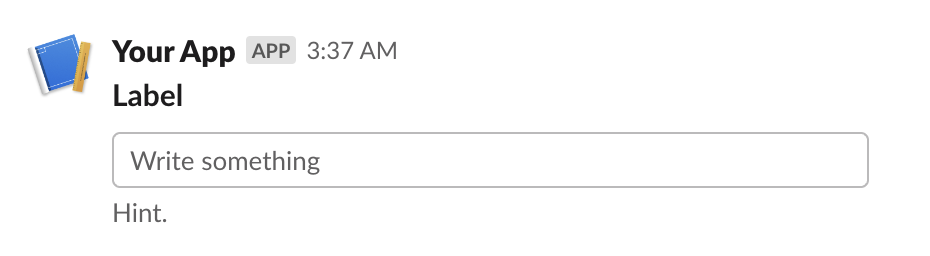
InputBlock(label: TextLike, element: Element, dispatch_action: bool = False, block_id: Optional[str] = None, hint: Optional[TextLike] = None, optional: bool = False)
A block that collects information from users - it can hold a plain-text input element, a checkbox element, a radio button element, a select menu element, a multi-select menu element, or a datepicker.
Arguments
| Argument | Type | Description |
|---|---|---|
label | TextLike | the name which identifies the input field. |
element | Element | an interactive Element (e.g. a text field). |
dispatch_action | bool | whether the Element should trigger the sending of a block_actions payload. |
block_id | Optional[str] | you can use this field to provide a deterministic identifier for the block. |
hint | Optional[TextLike] | an optional additional guide on what input the user should prodive. |
optional | bool | whether this input field may be empty when the user submits e.g. the modal. |
Errors
| Error | When |
|---|---|
InvalidUsageError | when any of the provided arguments fail validation. |
- slackblocks
- JSON
- Slack UI
from slackblocks import InputBlock, Text, TextType, PlainTextInput

InputBlock(
    label=Text("Label", type_=TextType.PLAINTEXT, emoji=True),
    hint=Text("Hint", type_=TextType.PLAINTEXT, emoji=True),
    element=PlainTextInput(action_id="action"),
    block_id="fake_block_id",
    optional=True,
)
{
    "type": "input",
    "block_id": "fake_block_id",
    "label": {
        "type": "plain_text",
        "text": "Label",
        "emoji": true
    },
    "element": {
        "type": "plain_text_input",
        "action_id": "action"
    },
    "hint": {
        "type": "plain_text",
        "text": "Hint",
        "emoji": true
    },
    "optional": true
}
Divider Block
Class
DividerBlock(block_id: Optional[str] = None)
A content divider, like an <hr> in HTML, to split up different blocks inside of
a message.
Arguments
| Argument | Type | Description |
|---|---|---|
block_id | Optional[str] | you can use this field to provide a deterministic identifier for the block. |
- slackblocks
- JSON
- Slack UI
from slackblocks import DividerBlock

DividerBlock()
{
    "type": "divider"
}

File Block
Class
FileBlock(external_id: str, block_id: Optional[str], source: str = 'remote')
Displays a remote file (e.g. a PDF).
For details on how remote files are exposed to Slack, see https://api.slack.com/messaging/files#adding.
Arguments
| Argument | Type | Description |
|---|---|---|
external_id | str | the ID assigned to the remote file when it was added to Slack. |
block_id | Optional[str] | you can use this field to provide a deterministic identifier for the block. |
source | str | always "remote" as per the Slack API (may change in the future). |
- slackblocks
- JSON
- Slack UI
from slackblocks import FileBlock

FileBlock(
    external_id="external_id",
    block_id="fake_block_id",
)
{
    "type": "file",
    "external_id": "external_id",
    "source": "remote",
    "block_id": "fake_block_id"
}

- Note that this example comes from the Slack Web API docs.
Context Block
Class
ContextBlock(elements: Optional[List[Union[Element, CompositionObject]]] = None, block_id: Optional[str] = None)
A ContextBlock displays contextul message info, including both images and text.
Arguments
| Argument | Type | Description |
|---|---|---|
elements | Optional[List[Union[Element, CompositionObject]]] | a list of Text objects and Image elements. |
block_id | Optional[str] | you can use this field to provide a deterministic identifier for the block. |
Errors
| Error | When |
|---|---|
InvalidUsageError | when items in elements are not Text or Image or exceed 10 items. |
- slackblocks
- JSON
- Slack UI
from slackblocks import ContextBlock, Text

ContextBlock(
    elements=[
        Text("Hello, world!"),
    ],
    block_id="fake_block_id"
)
{
    "type": "context",
    "block_id": "fake_block_id",
    "elements": [
        {
            "type": "mrkdwn",
            "text": "Hello, world!"
        }
    ]
}
Actions Block
Class
ActionsBlock(elements: Optional[List[Element]] = None, block_id: Optional[str] = None)
A Block that is used to hold interactive elements (normally for users to interface with).
Arguments
| Argument | Type | Description |
|---|---|---|
elements | Optional[List[Element]] | a list of Elements (up to a maximum of 25). |
block_id | Optional[str] | you can use this field to provide a deterministic identifier for the block. |
Errors
| Error | When |
|---|---|
InvalidUsageError | if any of the items in elements are invalid. |
- slackblocks
- JSON
- Slack UI
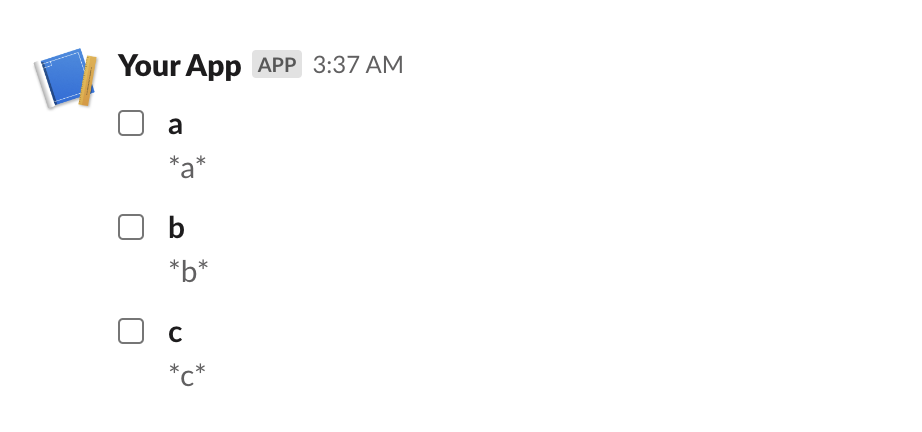
ActionsBlock(
    block_id="fake_block_id",
    elements=CheckboxGroup(
        action_id="actionId-0",
        options=[
            Option(text="*a*", value="a", description="*a*"),
            Option(text="*b*", value="b", description="*b*"),
            Option(text="*c*", value="c", description="*c*"),
        ],
    ),
)
{
    "type": "actions",
    "block_id": "fake_block_id",
    "elements": [
        {
            "type": "checkboxes",
            "action_id": "actionId-0",
            "options": [
                {
                    "text": {
                        "type": "mrkdwn",
                        "text": "*a*"
                    },
                    "value": "a",
                    "description": {
                        "type": "plain_text",
                        "text": "*a*"
                    }
                },
                {
                    "text": {
                        "type": "mrkdwn",
                        "text": "*b*"
                    },
                    "value": "b",
                    "description": {
                        "type": "plain_text",
                        "text": "*b*"
                    }
                },
                {
                    "text": {
                        "type": "mrkdwn",
                        "text": "*c*"
                    },
                    "value": "c",
                    "description": {
                        "type": "plain_text",
                        "text": "*c*"
                    }
                }
            ]
        }
    ]
}