Using Blocks
Blocks are the fundamental visual units of a Slack message. Each block type renders as a different UI component (a section of text, a header, a divider, an image, a row of buttons, and so on). A Message is composed of one or more blocks, rendered top-to-bottom.
This page walks through every block type supported by slackblocks, with:
- A short description of what the block is for.
- The
slackblockscode to construct it in your selected language. - The JSON payload that's produced.
- A screenshot of how it looks in Slack.
For the reverse mapping — looking up a class by name — see the Blocks reference. For interactive UI bits (buttons, menus, date pickers) that go inside blocks, see Elements.
For exact setters and return types, see the TypeScript API reference. Interactive controls such as buttons, menus, and date pickers are documented alongside the other element builders.
For fluent constructors, JSON types, and validation errors, see the Go API reference. Interactive controls such as buttons, menus, and date pickers are grouped under Elements.
For concrete fluent builders, immutable values, and validation errors, see the Java API reference. Interactive controls such as buttons, menus, and date pickers are grouped under Elements.
For constructors, typed properties, and validation errors, see the C# API reference. Interactive controls such as buttons, menus, and date pickers are grouped under Elements.
For keyword constructors, immutable values, and validation errors, see the Ruby API reference. Interactive controls are in Elements. The Ruby snippets below produce the same payloads shown in the JSON tabs.
For consuming builders, borrowed getters and structured errors, see the Rust API reference. These runnable examples produce the JSON shown in each tab. All examples use edition 2024 and Rust 1.85 or newer.
Construct readonly values using named arguments and typed children. toJson() serializes the validated result. Each example below runs unchanged in CI and is compared with its JSON tab.
Use native immutable structs, keyword options and atom enums. Every example below runs unchanged in CI and is compared with its JSON tab. See Blocks, Elements and Composition Objects.
Section Block
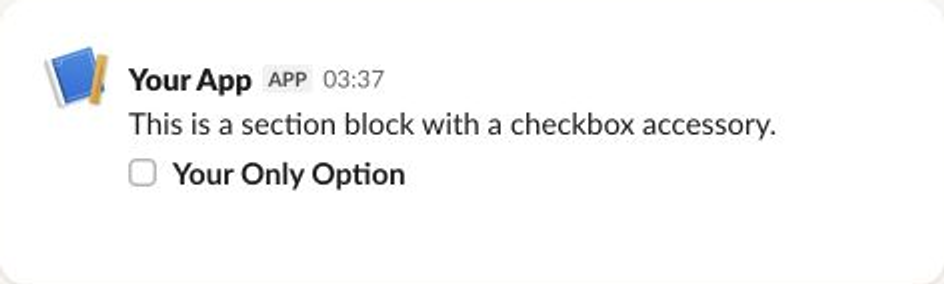
A section is the most versatile block. It shows text, a two-column grid of fields, or both, and can carry one interactive accessory such as a button, menu, or image.
Provide text, fields, or both. text allows up to 3,000 characters, and fields allows up to 10 items of up to 2,000 characters each.
- slackblocks
- JSON
- Slack UI
from slackblocks import CheckboxGroup, Option, SectionBlock

SectionBlock(
    text="This is a section block with a checkbox accessory.",
    block_id="fake_block_id",
    accessory=CheckboxGroup(
        action_id="checkboxes-action",
        options=[
            Option(
                text="*Your Only Option*",
                value="option_one"
            )
        ]
    )
)
import { Checkboxes, Markdown, Option, SectionBlock } from "@nicklambourne/slackblocks";

SectionBlock()
  .text("This is a section block with a checkbox accessory.")
  .blockId("fake_block_id")
  .accessory(
    Checkboxes()
      .actionId("checkboxes-action")
      .options(Option().text(Markdown().text("*Your Only Option*")).value("option_one")),
  )
  .build();
block, err := slackblocks.NewSectionBlock().
    Text("This is a section block with a checkbox accessory.").
    BlockID("fake_block_id").
    Accessory(
        slackblocks.NewCheckboxes().
            ActionID("checkboxes-action").
            Options(
                slackblocks.NewOption().
                    TextObject(slackblocks.NewMarkdown().Text("*Your Only Option*")).
                    Value("option_one"),
            ),
    ).
    Build()
SectionBlock block = SectionBlock.builder()
    .markdownText("This is a section block with a checkbox accessory.")
    .blockId("fake_block_id")
    .accessory(CheckboxesElement.builder()
        .actionId("checkboxes-action")
        .options(Option.builder()
            .text(MarkdownText.of("*Your Only Option*"))
            .value("option_one")
            .build())
        .build())
    .build();
var block = new SectionBlock(
    text: "This is a section block with a checkbox accessory.",
    accessory: new CheckboxesElement(
        "checkboxes-action",
        options: [new Option(new MarkdownText("*Your Only Option*"), "option_one")]),
    blockId: "fake_block_id");
require "slackblocks"
include Slackblocks
block = SectionBlock.new(
  text: MarkdownText.new(text: "This is a section block with a checkbox accessory."),
  accessory: CheckboxesElement.new(
    action_id: "checkboxes-action",
    options: [Option.new(text: MarkdownText.new(text: "*Your Only Option*"), value: "option_one")]
  ),
  block_id: "fake_block_id"
)
puts block.to_json
use slackblocks::*;

fn main() -> Result<(), Box<dyn std::error::Error>> {
    let block = SectionBlock::builder()
        .block_id("fake_block_id")
        .text(
            MarkdownText::builder()
                .text("This is a section block with a checkbox accessory.")
                .build()?,
        )
        .accessory(
            CheckboxesElement::builder()
                .options(vec![SelectOption::from(
                    SelectOption::builder()
                        .text(MarkdownText::builder().text("*Your Only Option*").build()?)
                        .value("option_one")
                        .build()?,
                )])
                .action_id("checkboxes-action")
                .build()?,
        )
        .build()?;
    println!("{}", serde_json::to_string(&block)?);
    Ok(())
}
<?php

declare(strict_types=1);

require 'vendor/autoload.php';

use Slackblocks as S;

$block = new S\SectionBlock(
    text: new S\MarkdownText(
        text: 'This is a section block with a checkbox accessory.',
    ),
    accessory: new S\CheckboxesElement(
        actionId: 'checkboxes-action',
        options: [new S\Option(
            text: new S\MarkdownText(
                text: '*Your Only Option*',
            ),
            value: 'option_one',
        )],
    ),
    blockId: 'fake_block_id',
);
echo $block->toJson();
block =
  Slackblocks.Blocks.Section.new!(
    block_id: "fake_block_id",
    text:
      Slackblocks.Objects.MarkdownText.new!(
        text: "This is a section block with a checkbox accessory."
      ),
    accessory:
      Slackblocks.Elements.Checkboxes.new!(
        options: [
          Slackblocks.Objects.Option.new!(
            text: Slackblocks.Objects.MarkdownText.new!(text: "*Your Only Option*"),
            value: "option_one"
          )
        ],
        action_id: "checkboxes-action"
      )
  )

Slackblocks.to_map!(block)
{
    "type": "section",
    "block_id": "fake_block_id",
    "text": {
        "type": "mrkdwn",
        "text": "This is a section block with a checkbox accessory."
    },
    "accessory": {
        "type": "checkboxes",
        "options": [
            {
                "text": {
                    "type": "mrkdwn",
                    "text": "*Your Only Option*"
                },
                "value": "option_one"
            }
        ],
        "action_id": "checkboxes-action"
    }
}
Rich Text Block
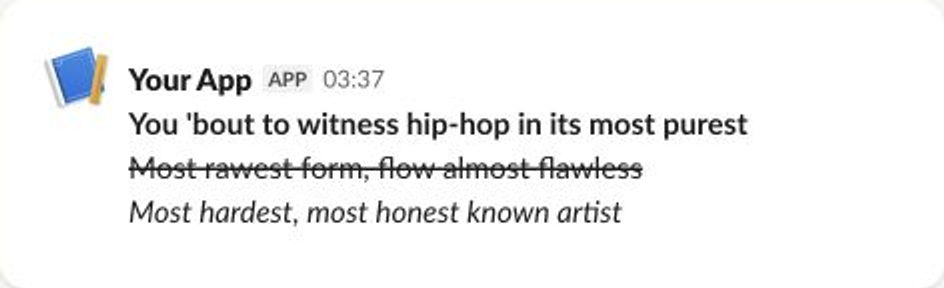
Rich text carries formatted content built from sections, lists, preformatted code, and quotes. Inline elements add bold, italic, strikethrough, and code styling, along with links, emoji, and user, channel, or user group mentions.
Required: elements.
- slackblocks
- JSON
- Slack UI
from slackblocks import RichTextBlock, RichTextSection, RichText

RichTextBlock(
    RichTextSection(
        [
            RichText(
                "You 'bout to witness hip-hop in its most purest\n",
                bold=True,
            ),
            RichText(
                "Most rawest form, flow almost flawless\n",
                strike=True,
            ),
            RichText(
                "Most hardest, most honest known artist\n",
                italic=True,
            ),
        ]
    ),
    block_id="fake_block_id",
)
import { RichText, RichTextBlock, RichTextSection } from "@nicklambourne/slackblocks";

RichTextBlock()
  .blockId("fake_block_id")
  .elements(
    RichTextSection().elements(
      RichText().text("You 'bout to witness hip-hop in its most purest\n").style({ bold: true }),
      RichText().text("Most rawest form, flow almost flawless\n").style({ strike: true }),
      RichText().text("Most hardest, most honest known artist\n").style({ italic: true }),
    ),
  )
  .build();
block, err := slackblocks.NewRichTextBlock().
    BlockID("fake_block_id").
    Elements(
        slackblocks.NewRichTextSection().Elements(
            slackblocks.NewRichText().Text("You 'bout to witness hip-hop in its most purest\n").Style(slackblocks.RichTextStyle{"bold": true}),
            slackblocks.NewRichText().Text("Most rawest form, flow almost flawless\n").Style(slackblocks.RichTextStyle{"strike": true}),
            slackblocks.NewRichText().Text("Most hardest, most honest known artist\n").Style(slackblocks.RichTextStyle{"italic": true}),
        ),
    ).
    Build()
RichTextBlock block = RichTextBlock.builder()
    .blockId("fake_block_id")
    .elements(RichTextSection.builder()
        .elements(
            RichTextText.builder().text("You 'bout to witness hip-hop in its most purest\n")
                .bold(true).build(),
            RichTextText.builder().text("Most rawest form, flow almost flawless\n")
                .strike(true).build(),
            RichTextText.builder().text("Most hardest, most honest known artist\n")
                .italic(true).build())
        .build())
    .build();
var block = new RichTextBlock(
    elements: [
        new RichTextSection(
            elements: [
                new RichTextText(
                    "You 'bout to witness hip-hop in its most purest\n",
                    style: new RichTextStyle(bold: true)),
                new RichTextText(
                    "Most rawest form, flow almost flawless\n",
                    style: new RichTextStyle(strike: true)),
                new RichTextText(
                    "Most hardest, most honest known artist\n",
                    style: new RichTextStyle(italic: true)),
            ]),
    ],
    blockId: "fake_block_id");
require "slackblocks"
include Slackblocks
block = RichTextBlock.new(
  elements: [
    RichTextSection.new(
      elements: [
        RichTextText.new(
          text: "You 'bout to witness hip-hop in its most purest\n",
          style: RichTextStyle.new(bold: true)
        ),
        RichTextText.new(
          text: "Most rawest form, flow almost flawless\n",
          style: RichTextStyle.new(strike: true)
        ),
        RichTextText.new(
          text: "Most hardest, most honest known artist\n",
          style: RichTextStyle.new(italic: true)
        )
      ]
    )
  ],
  block_id: "fake_block_id"
)
puts block.to_json
use slackblocks::*;

fn main() -> Result<(), Box<dyn std::error::Error>> {
    let block = RichTextBlock::builder()
        .block_id("fake_block_id")
        .elements(vec![RichTextBlockElement::from(
            RichTextSection::builder()
                .elements(vec![
                    RichTextSectionElement::from(
                        RichTextText::builder()
                            .text("You 'bout to witness hip-hop in its most purest\n")
                            .style(RichTextStyle::new().bold(true))
                            .build()?,
                    ),
                    RichTextSectionElement::from(
                        RichTextText::builder()
                            .text("Most rawest form, flow almost flawless\n")
                            .style(RichTextStyle::new().strike(true))
                            .build()?,
                    ),
                    RichTextSectionElement::from(
                        RichTextText::builder()
                            .text("Most hardest, most honest known artist\n")
                            .style(RichTextStyle::new().italic(true))
                            .build()?,
                    ),
                ])
                .build()?,
        )])
        .build()?;
    println!("{}", serde_json::to_string(&block)?);
    Ok(())
}
<?php

declare(strict_types=1);

require 'vendor/autoload.php';

use Slackblocks as S;

$block = new S\RichTextBlock(
    elements: [new S\RichTextSection(
        elements: [new S\RichTextText(
            text: "You 'bout to witness hip-hop in its most purest\n",
            style: new S\RichTextStyle(bold: true),
        ), new S\RichTextText(
            text: "Most rawest form, flow almost flawless\n",
            style: new S\RichTextStyle(strike: true),
        ), new S\RichTextText(
            text: "Most hardest, most honest known artist\n",
            style: new S\RichTextStyle(italic: true),
        )],
    )],
    blockId: 'fake_block_id',
);
echo $block->toJson();
block =
  Slackblocks.Blocks.RichText.new!(
    block_id: "fake_block_id",
    elements: [
      Slackblocks.RichText.Section.new!(
        elements: [
          Slackblocks.RichText.Text.new!(
            text: "You 'bout to witness hip-hop in its most purest\n",
            style: Slackblocks.RichText.Style.new!(bold: true)
          ),
          Slackblocks.RichText.Text.new!(
            text: "Most rawest form, flow almost flawless\n",
            style: Slackblocks.RichText.Style.new!(strike: true)
          ),
          Slackblocks.RichText.Text.new!(
            text: "Most hardest, most honest known artist\n",
            style: Slackblocks.RichText.Style.new!(italic: true)
          )
        ]
      )
    ]
  )

Slackblocks.to_map!(block)
{
    "type": "rich_text",
    "block_id": "fake_block_id",
    "elements": [
        {
            "type": "rich_text_section",
            "elements": [
                {
                    "type": "text",
                    "text": "You 'bout to witness hip-hop in its most purest\n",
                    "style": {
                        "bold": true
                    }
                },
                {
                    "type": "text",
                    "text": "Most rawest form, flow almost flawless\n",
                    "style": {
                        "strike": true
                    }
                },
                {
                    "type": "text",
                    "text": "Most hardest, most honest known artist\n",
                    "style": {
                        "italic": true
                    }
                }
            ]
        }
    ]
}
Header Block
A header shows large, bold plain text that introduces a group of blocks. Plain strings are converted to Slack plain_text objects automatically.
Required: text (up to 150 characters).
- slackblocks
- JSON
- Slack UI
from slackblocks import HeaderBlock

HeaderBlock(
    "This is a header block",
    block_id="fake_block_id",
)
import { HeaderBlock } from "@nicklambourne/slackblocks";

HeaderBlock().text("This is a header block").blockId("fake_block_id").build();
block, err := slackblocks.NewHeaderBlock().
    Text("This is a header block").
    BlockID("fake_block_id").
    Build()
HeaderBlock block = HeaderBlock.builder()
    .text("This is a header block")
    .blockId("fake_block_id")
    .build();
var block = new HeaderBlock("This is a header block", blockId: "fake_block_id");
require "slackblocks"
include Slackblocks
block = HeaderBlock.new(text: PlainText.new(text: "This is a header block"), block_id: "fake_block_id")
puts block.to_json
use slackblocks::*;

fn main() -> Result<(), Box<dyn std::error::Error>> {
    let block = HeaderBlock::builder()
        .block_id("fake_block_id")
        .text(
            PlainText::builder()
                .text("This is a header block")
                .build()?,
        )
        .build()?;
    println!("{}", serde_json::to_string(&block)?);
    Ok(())
}
<?php

declare(strict_types=1);

require 'vendor/autoload.php';

use Slackblocks as S;

$block = new S\HeaderBlock(
    text: new S\PlainText(
        text: 'This is a header block',
    ),
    blockId: 'fake_block_id',
);
echo $block->toJson();
block =
  Slackblocks.Blocks.Header.new!(
    block_id: "fake_block_id",
    text: Slackblocks.Objects.PlainText.new!(text: "This is a header block")
  )

Slackblocks.to_map!(block)
{
    "type": "header",
    "block_id": "fake_block_id",
    "text": {
        "type": "plain_text",
        "text": "This is a header block"
    }
}

Markdown Block
Slack added the markdown block type in 2024, primarily for AI / agentic apps. Unlike the mrkdwn text inside a Section Block, MarkdownBlock renders GitHub-flavored Markdown, supporting tables, code blocks, and richer list semantics.
text is required (1 - 12,000 characters).
- slackblocks
- JSON
- Slack UI
from slackblocks import MarkdownBlock

MarkdownBlock(
    text="**Hello!** Markdown blocks support _GitHub-flavored_ syntax.",
    block_id="fake_block_id",
)
import { MarkdownBlock } from "@nicklambourne/slackblocks";

MarkdownBlock()
  .text("**Hello!** Markdown blocks support _GitHub-flavored_ syntax.")
  .blockId("fake_block_id")
  .build();
block, err := slackblocks.NewMarkdownBlock().
    Text("**Hello!** Markdown blocks support _GitHub-flavored_ syntax.").
    BlockID("fake_block_id").
    Build()
MarkdownBlock block = MarkdownBlock.builder()
    .text("**Hello!** Markdown blocks support _GitHub-flavored_ syntax.")
    .blockId("fake_block_id")
    .build();
var block = new MarkdownBlock(
    "**Hello!** Markdown blocks support _GitHub-flavored_ syntax.",
    blockId: "fake_block_id");
require "slackblocks"
include Slackblocks
block = MarkdownBlock.new(
  text: "**Hello!** Markdown blocks support _GitHub-flavored_ syntax.",
  block_id: "fake_block_id"
)
puts block.to_json
use slackblocks::*;

fn main() -> Result<(), Box<dyn std::error::Error>> {
    let block = MarkdownBlock::builder()
        .block_id("fake_block_id")
        .text("**Hello!** Markdown blocks support _GitHub-flavored_ syntax.")
        .build()?;
    println!("{}", serde_json::to_string(&block)?);
    Ok(())
}
<?php

declare(strict_types=1);

require 'vendor/autoload.php';

use Slackblocks as S;

$block = new S\MarkdownBlock(
    text: '**Hello!** Markdown blocks support _GitHub-flavored_ syntax.',
    blockId: 'fake_block_id',
);
echo $block->toJson();
block =
  Slackblocks.Blocks.Markdown.new!(
    block_id: "fake_block_id",
    text: "**Hello!** Markdown blocks support _GitHub-flavored_ syntax."
  )

Slackblocks.to_map!(block)
{
    "type": "markdown",
    "block_id": "fake_block_id",
    "text": "**Hello!** Markdown blocks support _GitHub-flavored_ syntax."
}

See the Slack reference for the supported Markdown features.
Image Block
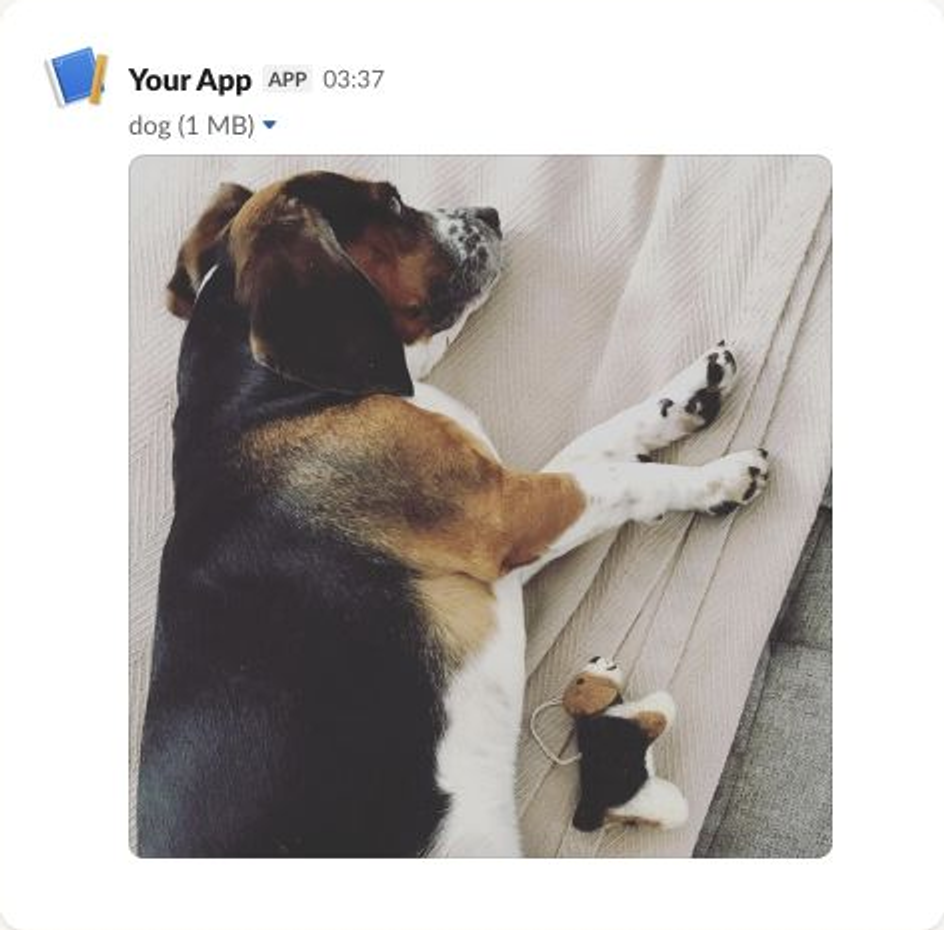
An image block displays a standalone image from a URL, with alternative text for screen readers and an optional plain-text title.
Required: image_url (up to 3,000 characters) and alt_text (up to 2,000 characters).
- slackblocks
- JSON
- Slack UI
from slackblocks import ImageBlock

ImageBlock(
    image_url="https://api.slack.com/img/blocks/bkb_template_images/beagle.png",
    alt_text="a beagle",
    title="dog",
    block_id="fake_block_id",
)
import { ImageBlock } from "@nicklambourne/slackblocks";

ImageBlock()
  .imageUrl("https://api.slack.com/img/blocks/bkb_template_images/beagle.png")
  .altText("a beagle")
  .title("dog")
  .blockId("fake_block_id")
  .build();
block, err := slackblocks.NewImageBlock().
    ImageURL("https://api.slack.com/img/blocks/bkb_template_images/beagle.png").
    AltText("a beagle").
    Title("dog").
    BlockID("fake_block_id").
    Build()
ImageBlock block = ImageBlock.builder()
    .imageUrl("https://api.slack.com/img/blocks/bkb_template_images/beagle.png")
    .altText("a beagle")
    .title("dog")
    .blockId("fake_block_id")
    .build();
var block = new ImageBlock(
    "https://api.slack.com/img/blocks/bkb_template_images/beagle.png",
    "a beagle",
    title: "dog",
    blockId: "fake_block_id");
require "slackblocks"
include Slackblocks
block = ImageBlock.new(
  image_url: "https://api.slack.com/img/blocks/bkb_template_images/beagle.png",
  alt_text: "a beagle",
  title: PlainText.new(text: "dog"),
  block_id: "fake_block_id"
)
puts block.to_json
use slackblocks::*;

fn main() -> Result<(), Box<dyn std::error::Error>> {
    let block = ImageBlock::builder()
        .block_id("fake_block_id")
        .image_url("https://api.slack.com/img/blocks/bkb_template_images/beagle.png")
        .alt_text("a beagle")
        .title(PlainText::builder().text("dog").build()?)
        .build()?;
    println!("{}", serde_json::to_string(&block)?);
    Ok(())
}
<?php

declare(strict_types=1);

require 'vendor/autoload.php';

use Slackblocks as S;

$block = new S\ImageBlock(
    imageUrl: 'https://api.slack.com/img/blocks/bkb_template_images/beagle.png',
    altText: 'a beagle',
    title: new S\PlainText(
        text: 'dog',
    ),
    blockId: 'fake_block_id',
);
echo $block->toJson();
block =
  Slackblocks.Blocks.Image.new!(
    block_id: "fake_block_id",
    image_url: "https://api.slack.com/img/blocks/bkb_template_images/beagle.png",
    alt_text: "a beagle",
    title: Slackblocks.Objects.PlainText.new!(text: "dog")
  )

Slackblocks.to_map!(block)
{
    "type": "image",
    "block_id": "fake_block_id",
    "image_url": "https://api.slack.com/img/blocks/bkb_template_images/beagle.png",
    "alt_text": "a beagle",
    "title": {
        "type": "plain_text",
        "text": "dog"
    }
}
Input Block
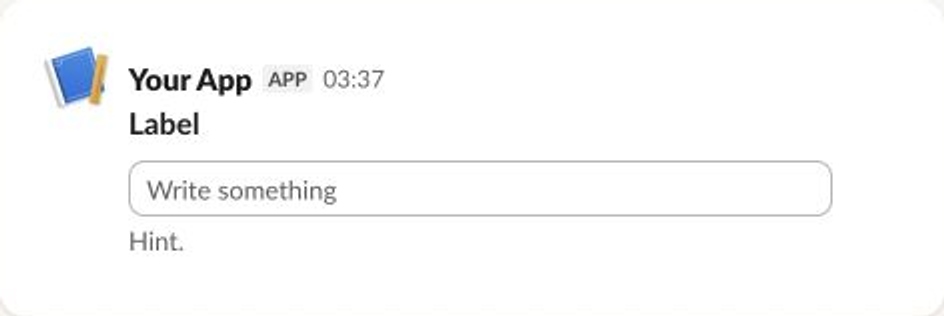
An input block pairs a label with one input element, such as a text input, select menu, or date picker, to collect a value from the user. Input blocks are most common in modals, and can also appear in messages and App Home.
Required: label (up to 2,000 characters) and element. Set optional to allow submission without a value, and dispatch_action to receive an interaction payload as the value changes.
- slackblocks
- JSON
- Slack UI
from slackblocks import InputBlock, Text, TextType, PlainTextInput

InputBlock(
    label=Text("Label", type_=TextType.PLAINTEXT, emoji=True),
    hint=Text("Hint", type_=TextType.PLAINTEXT, emoji=True),
    element=PlainTextInput(action_id="action"),
    block_id="fake_block_id",
    optional=True,
)
import { InputBlock, PlainText, PlainTextInput } from "@nicklambourne/slackblocks";

InputBlock()
  .label(PlainText().text("Label").emoji(true))
  .hint(PlainText().text("Hint").emoji(true))
  .element(PlainTextInput().actionId("action"))
  .blockId("fake_block_id")
  .optional(true)
  .build();
block, err := slackblocks.NewInputBlock().
    LabelObject(slackblocks.NewPlainText().Text("Label").Emoji(true)).
    HintObject(slackblocks.NewPlainText().Text("Hint").Emoji(true)).
    Element(slackblocks.NewPlainTextInput().ActionID("action")).
    BlockID("fake_block_id").
    Optional(true).
    Build()
InputBlock block = InputBlock.builder()
    .label(PlainText.builder().text("Label").emoji(true).build())
    .hint(PlainText.builder().text("Hint").emoji(true).build())
    .element(PlainTextInputElement.builder().actionId("action").build())
    .blockId("fake_block_id")
    .optional(true)
    .build();
var block = new InputBlock(
    new PlainText("Label", emoji: true),
    element: new PlainTextInputElement("action"),
    hint: new PlainText("Hint", emoji: true),
    optional: true,
    blockId: "fake_block_id");
require "slackblocks"
include Slackblocks
block = InputBlock.new(
  label: PlainText.new(text: "Label", emoji: true),
  element: PlainTextInputElement.new(action_id: "action"),
  block_id: "fake_block_id",
  hint: PlainText.new(text: "Hint", emoji: true),
  optional: true
)
puts block.to_json
use slackblocks::*;

fn main() -> Result<(), Box<dyn std::error::Error>> {
    let block = InputBlock::builder()
        .block_id("fake_block_id")
        .label(PlainText::builder().text("Label").emoji(true).build()?)
        .element(
            PlainTextInputElement::builder()
                .action_id("action")
                .build()?,
        )
        .hint(PlainText::builder().text("Hint").emoji(true).build()?)
        .optional(true)
        .build()?;
    println!("{}", serde_json::to_string(&block)?);
    Ok(())
}
<?php

declare(strict_types=1);

require 'vendor/autoload.php';

use Slackblocks as S;

$block = new S\InputBlock(
    label: new S\PlainText(
        text: 'Label',
        emoji: true,
    ),
    element: new S\PlainTextInputElement(
        actionId: 'action',
    ),
    blockId: 'fake_block_id',
    hint: new S\PlainText(
        text: 'Hint',
        emoji: true,
    ),
    optional: true,
);
echo $block->toJson();
block =
  Slackblocks.Blocks.Input.new!(
    block_id: "fake_block_id",
    label: Slackblocks.Objects.PlainText.new!(text: "Label", emoji: true),
    element: Slackblocks.Elements.PlainTextInput.new!(action_id: "action"),
    hint: Slackblocks.Objects.PlainText.new!(text: "Hint", emoji: true),
    optional: true
  )

Slackblocks.to_map!(block)
{
    "type": "input",
    "block_id": "fake_block_id",
    "label": {
        "type": "plain_text",
        "text": "Label",
        "emoji": true
    },
    "element": {
        "type": "plain_text_input",
        "action_id": "action"
    },
    "hint": {
        "type": "plain_text",
        "text": "Hint",
        "emoji": true
    },
    "optional": true
}
Divider Block
A divider draws a horizontal rule between blocks, much like an HTML <hr> element.
No fields are required.
- slackblocks
- JSON
- Slack UI
from slackblocks import DividerBlock

DividerBlock(block_id="fake_block_id")
import { DividerBlock } from "@nicklambourne/slackblocks";

DividerBlock().blockId("fake_block_id").build();
block, err := slackblocks.NewDividerBlock().BlockID("fake_block_id").Build()
DividerBlock block = DividerBlock.builder().blockId("fake_block_id").build();
var block = new DividerBlock(blockId: "fake_block_id");
require "slackblocks"
include Slackblocks
block = DividerBlock.new(block_id: "fake_block_id")
puts block.to_json
use slackblocks::*;

fn main() -> Result<(), Box<dyn std::error::Error>> {
    let block = DividerBlock::builder().block_id("fake_block_id").build()?;
    println!("{}", serde_json::to_string(&block)?);
    Ok(())
}
<?php

declare(strict_types=1);

require 'vendor/autoload.php';

use Slackblocks as S;

$block = new S\DividerBlock(
    blockId: 'fake_block_id',
);
echo $block->toJson();
block = Slackblocks.Blocks.Divider.new!(block_id: "fake_block_id")
Slackblocks.to_map!(block)
{
    "type": "divider",
    "block_id": "fake_block_id"
}

File Block
A file block displays a remote file that was previously added to Slack with the files.remote.add API. It references the existing file by ID and does not upload anything itself.
Required: external_id. source defaults to remote, the only value Slack currently accepts.
- slackblocks
- JSON
- Slack UI
from slackblocks import FileBlock

FileBlock(
    external_id="external_id",
    block_id="fake_block_id",
)
import { FileBlock } from "@nicklambourne/slackblocks";

FileBlock().externalId("external_id").blockId("fake_block_id").build();
block, err := slackblocks.NewFileBlock().
    ExternalID("external_id").
    BlockID("fake_block_id").
    Build()
FileBlock block = FileBlock.builder()
    .externalId("external_id")
    .blockId("fake_block_id")
    .build();
var block = new FileBlock("external_id", blockId: "fake_block_id");
require "slackblocks"
include Slackblocks
block = FileBlock.new(external_id: "external_id", source: "remote", block_id: "fake_block_id")
puts block.to_json
use slackblocks::*;

fn main() -> Result<(), Box<dyn std::error::Error>> {
    let block = FileBlock::builder()
        .external_id("external_id")
        .source("remote")
        .block_id("fake_block_id")
        .build()?;
    println!("{}", serde_json::to_string(&block)?);
    Ok(())
}
<?php

declare(strict_types=1);

require 'vendor/autoload.php';

use Slackblocks as S;

$block = new S\FileBlock(
    externalId: 'external_id',
    source: 'remote',
    blockId: 'fake_block_id',
);
echo $block->toJson();
block =
  Slackblocks.Blocks.File.new!(
    external_id: "external_id",
    source: "remote",
    block_id: "fake_block_id"
  )

Slackblocks.to_map!(block)
{
    "type": "file",
    "external_id": "external_id",
    "source": "remote",
    "block_id": "fake_block_id"
}

- Note that this example comes from the Slack Web API docs.
Context Block
A context block shows small, secondary images and text, such as an author, a timestamp, or a status line beneath other content.
Required: elements (up to 10 images or text objects).
- slackblocks
- JSON
- Slack UI
from slackblocks import ContextBlock, Text

ContextBlock(
    elements=[
        Text("Hello, world!"),
    ],
    block_id="fake_block_id"
)
import { ContextBlock, Markdown } from "@nicklambourne/slackblocks";

ContextBlock()
  .elements(Markdown().text("Hello, world!"))
  .blockId("fake_block_id")
  .build();
block, err := slackblocks.NewContextBlock().
    Elements(slackblocks.NewMarkdown().Text("Hello, world!")).
    BlockID("fake_block_id").
    Build()
ContextBlock block = ContextBlock.builder()
    .elements(MarkdownText.of("Hello, world!"))
    .blockId("fake_block_id")
    .build();
var block = new ContextBlock(elements: [new MarkdownText("Hello, world!")], blockId: "fake_block_id");
require "slackblocks"
include Slackblocks
block = ContextBlock.new(elements: [MarkdownText.new(text: "Hello, world!")], block_id: "fake_block_id")
puts block.to_json
use slackblocks::*;

fn main() -> Result<(), Box<dyn std::error::Error>> {
    let block = ContextBlock::builder()
        .block_id("fake_block_id")
        .elements(vec![ContextElement::from(
            MarkdownText::builder().text("Hello, world!").build()?,
        )])
        .build()?;
    println!("{}", serde_json::to_string(&block)?);
    Ok(())
}
<?php

declare(strict_types=1);

require 'vendor/autoload.php';

use Slackblocks as S;

$block = new S\ContextBlock(
    elements: [new S\MarkdownText(
        text: 'Hello, world!',
    )],
    blockId: 'fake_block_id',
);
echo $block->toJson();
block =
  Slackblocks.Blocks.Context.new!(
    block_id: "fake_block_id",
    elements: [Slackblocks.Objects.MarkdownText.new!(text: "Hello, world!")]
  )

Slackblocks.to_map!(block)
{
    "type": "context",
    "block_id": "fake_block_id",
    "elements": [
        {
            "type": "mrkdwn",
            "text": "Hello, world!"
        }
    ]
}

Actions Block
An actions block holds a row of interactive elements, such as buttons, select menus, overflow menus, checkboxes, and date pickers.
Required: elements (up to 25 elements).
- slackblocks
- JSON
- Slack UI
from slackblocks import ActionsBlock, CheckboxGroup, Option

ActionsBlock(
    block_id="fake_block_id",
    elements=CheckboxGroup(
        action_id="actionId-0",
        options=[
            Option(text="*a*", value="a", description="*a*"),
            Option(text="*b*", value="b", description="*b*"),
            Option(text="*c*", value="c", description="*c*"),
        ],
    ),
)
import { ActionsBlock, Checkboxes, Markdown, Option, PlainText } from "@nicklambourne/slackblocks";

ActionsBlock()
  .blockId("fake_block_id")
  .elements(
    Checkboxes()
      .actionId("actionId-0")
      .options(
        ["a", "b", "c"].map((value) =>
          Option()
            .text(Markdown().text(`*${value}*`))
            .value(value)
            .description(PlainText().text(`*${value}*`)),
        ),
      ),
  )
  .build();
block, err := slackblocks.NewActionsBlock().
    BlockID("fake_block_id").
    Elements(
        slackblocks.NewCheckboxes().
            ActionID("actionId-0").
            Options(
                slackblocks.NewOption().TextObject(slackblocks.NewMarkdown().Text("*a*")).Value("a").Description("*a*"),
                slackblocks.NewOption().TextObject(slackblocks.NewMarkdown().Text("*b*")).Value("b").Description("*b*"),
                slackblocks.NewOption().TextObject(slackblocks.NewMarkdown().Text("*c*")).Value("c").Description("*c*"),
            ),
    ).
    Build()
ActionsBlock block = ActionsBlock.builder()
    .blockId("fake_block_id")
    .elements(CheckboxesElement.builder()
        .actionId("actionId-0")
        .options(
            Option.builder().text(MarkdownText.of("*a*")).value("a").description("*a*").build(),
            Option.builder().text(MarkdownText.of("*b*")).value("b").description("*b*").build(),
            Option.builder().text(MarkdownText.of("*c*")).value("c").description("*c*").build())
        .build())
    .build();
var block = new ActionsBlock(
    elements: [
        new CheckboxesElement(
            "actionId-0",
            options: [
                new Option(new MarkdownText("*a*"), "a", description: "*a*"),
                new Option(new MarkdownText("*b*"), "b", description: "*b*"),
                new Option(new MarkdownText("*c*"), "c", description: "*c*"),
            ]),
    ],
    blockId: "fake_block_id");
require "slackblocks"
include Slackblocks
block = ActionsBlock.new(
  elements: [
    CheckboxesElement.new(
      action_id: "actionId-0",
      options: [
        Option.new(
          text: MarkdownText.new(text: "*a*"),
          value: "a",
          description: PlainText.new(text: "*a*")
        ),
        Option.new(
          text: MarkdownText.new(text: "*b*"),
          value: "b",
          description: PlainText.new(text: "*b*")
        ),
        Option.new(
          text: MarkdownText.new(text: "*c*"),
          value: "c",
          description: PlainText.new(text: "*c*")
        )
      ]
    )
  ],
  block_id: "fake_block_id"
)
puts block.to_json
use slackblocks::*;

fn main() -> Result<(), Box<dyn std::error::Error>> {
    let block = ActionsBlock::builder()
        .block_id("fake_block_id")
        .elements(vec![Element::from(
            CheckboxesElement::builder()
                .action_id("actionId-0")
                .options(vec![
                    SelectOption::from(
                        SelectOption::builder()
                            .text(MarkdownText::builder().text("*a*").build()?)
                            .value("a")
                            .description(PlainText::builder().text("*a*").build()?)
                            .build()?,
                    ),
                    SelectOption::from(
                        SelectOption::builder()
                            .text(MarkdownText::builder().text("*b*").build()?)
                            .value("b")
                            .description(PlainText::builder().text("*b*").build()?)
                            .build()?,
                    ),
                    SelectOption::from(
                        SelectOption::builder()
                            .text(MarkdownText::builder().text("*c*").build()?)
                            .value("c")
                            .description(PlainText::builder().text("*c*").build()?)
                            .build()?,
                    ),
                ])
                .build()?,
        )])
        .build()?;
    println!("{}", serde_json::to_string(&block)?);
    Ok(())
}
<?php

declare(strict_types=1);

require 'vendor/autoload.php';

use Slackblocks as S;

$block = new S\ActionsBlock(
    elements: [new S\CheckboxesElement(
        actionId: 'actionId-0',
        options: [new S\Option(
            text: new S\MarkdownText(
                text: '*a*',
            ),
            value: 'a',
            description: new S\PlainText(
                text: '*a*',
            ),
        ), new S\Option(
            text: new S\MarkdownText(
                text: '*b*',
            ),
            value: 'b',
            description: new S\PlainText(
                text: '*b*',
            ),
        ), new S\Option(
            text: new S\MarkdownText(
                text: '*c*',
            ),
            value: 'c',
            description: new S\PlainText(
                text: '*c*',
            ),
        )],
    )],
    blockId: 'fake_block_id',
);
echo $block->toJson();
block =
  Slackblocks.Blocks.Actions.new!(
    block_id: "fake_block_id",
    elements: [
      Slackblocks.Elements.Checkboxes.new!(
        action_id: "actionId-0",
        options: [
          Slackblocks.Objects.Option.new!(
            text: Slackblocks.Objects.MarkdownText.new!(text: "*a*"),
            value: "a",
            description: Slackblocks.Objects.PlainText.new!(text: "*a*")
          ),
          Slackblocks.Objects.Option.new!(
            text: Slackblocks.Objects.MarkdownText.new!(text: "*b*"),
            value: "b",
            description: Slackblocks.Objects.PlainText.new!(text: "*b*")
          ),
          Slackblocks.Objects.Option.new!(
            text: Slackblocks.Objects.MarkdownText.new!(text: "*c*"),
            value: "c",
            description: Slackblocks.Objects.PlainText.new!(text: "*c*")
          )
        ]
      )
    ]
  )

Slackblocks.to_map!(block)
{
    "type": "actions",
    "block_id": "fake_block_id",
    "elements": [
        {
            "type": "checkboxes",
            "action_id": "actionId-0",
            "options": [
                {
                    "text": {
                        "type": "mrkdwn",
                        "text": "*a*"
                    },
                    "value": "a",
                    "description": {
                        "type": "plain_text",
                        "text": "*a*"
                    }
                },
                {
                    "text": {
                        "type": "mrkdwn",
                        "text": "*b*"
                    },
                    "value": "b",
                    "description": {
                        "type": "plain_text",
                        "text": "*b*"
                    }
                },
                {
                    "text": {
                        "type": "mrkdwn",
                        "text": "*c*"
                    },
                    "value": "c",
                    "description": {
                        "type": "plain_text",
                        "text": "*c*"
                    }
                }
            ]
        }
    ]
}
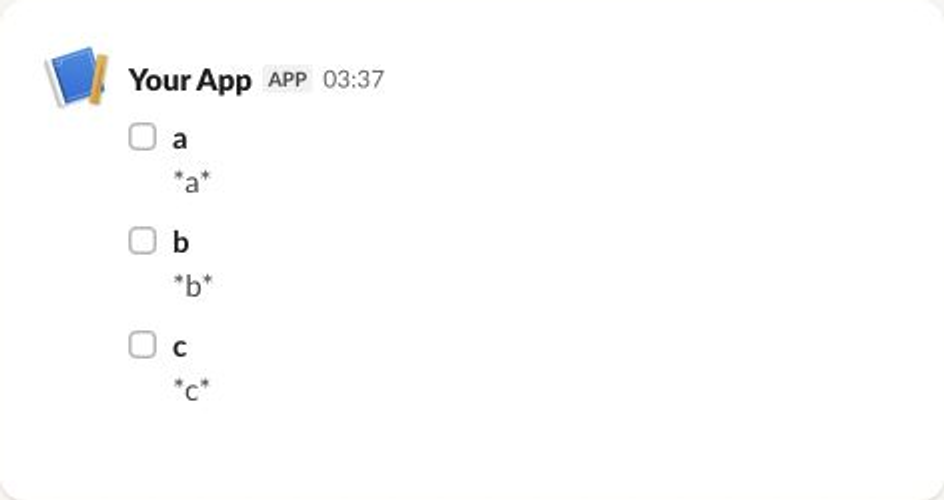
Table Block
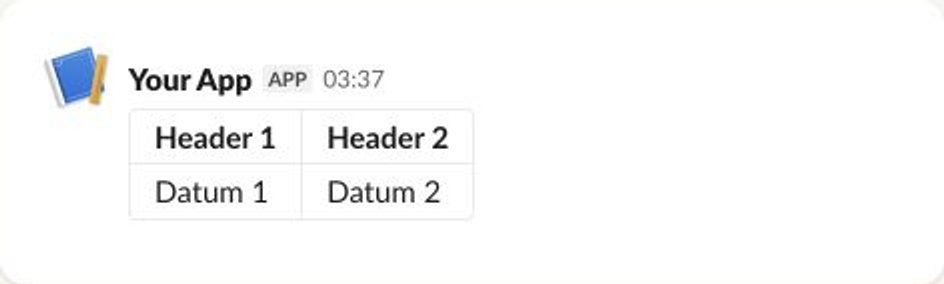
A table block lays out raw text and rich text cells in rows and columns. Optional column_settings control each column's alignment and whether its text wraps.
Required: rows. Every row must have the same number of cells, and column_settings needs one entry for every column.
- slackblocks
- JSON
- Slack UI
from slackblocks import (
    ColumnSettings,
    RawText,
    RichText,
    RichTextLink,
    RichTextSection,
    TableBlock,
)

TableBlock(
    block_id="fake_block_id",
    column_settings=[
        ColumnSettings(align="right", is_wrapped=True),
        ColumnSettings(align="left"),
    ],
    rows=[
        [
            RichTextSection(
                elements=[RichText(text="Header 1", bold=True)],
            ),
            RichTextSection(
                elements=[RichText(text="Header 2", bold=True)],
            ),
        ],
        [
            RawText(text="Datum 1"),
            RichTextSection(
                elements=[
                    RichTextLink(
                        url="https://slack.com",
                        text="Datum 2",
                    )
                ],
            ),
        ],
    ],
)
import {
  ColumnSettings,
  RawText,
  RichText,
  RichTextBlock,
  RichTextLink,
  RichTextSection,
  TableBlock,
} from "@nicklambourne/slackblocks";

TableBlock()
  .blockId("fake_block_id")
  .columnSettings(
    ColumnSettings().align("right").isWrapped(true),
    ColumnSettings().align("left"),
  )
  .rows([
    RichTextBlock().elements(
      RichTextSection().elements(RichText().text("Header 1").style({ bold: true })),
    ),
    RichTextBlock().elements(
      RichTextSection().elements(RichText().text("Header 2").style({ bold: true })),
    ),
  ])
  .rows([
    RawText().text("Datum 1"),
    RichTextBlock().elements(
      RichTextSection().elements(
        RichTextLink().url("https://slack.com").text("Datum 2"),
      ),
    ),
  ])
  .build();
block, err := slackblocks.NewTableBlock().
    BlockID("fake_block_id").
    ColumnSettings(
        slackblocks.NewColumnSettings().Align("right").IsWrapped(true),
        slackblocks.NewColumnSettings().Align("left"),
    ).
    Rows(
        []slackblocks.TableCell{
            slackblocks.NewRichTextBlock().Elements(
                slackblocks.NewRichTextSection().Elements(
                    slackblocks.NewRichText().Text("Header 1").Style(slackblocks.RichTextStyle{"bold": true}),
                ),
            ),
            slackblocks.NewRichTextBlock().Elements(
                slackblocks.NewRichTextSection().Elements(
                    slackblocks.NewRichText().Text("Header 2").Style(slackblocks.RichTextStyle{"bold": true}),
                ),
            ),
        },
        []slackblocks.TableCell{
            slackblocks.NewRawText().Text("Datum 1"),
            slackblocks.NewRichTextBlock().Elements(
                slackblocks.NewRichTextSection().Elements(
                    slackblocks.NewRichTextLink().URL("https://slack.com").Text("Datum 2"),
                ),
            ),
        },
    ).
    Build()
TableBlock block = TableBlock.builder()
    .blockId("fake_block_id")
    .columnSettings(
        ColumnSettings.builder().align(ColumnAlign.RIGHT).isWrapped(true).build(),
        ColumnSettings.builder().align(ColumnAlign.LEFT).build())
    .rows(
        List.of(
            RichTextBlock.builder().elements(RichTextSection.builder()
                .elements(RichTextText.builder().text("Header 1")
                    .bold(true).build()).build()).build(),
            RichTextBlock.builder().elements(RichTextSection.builder()
                .elements(RichTextText.builder().text("Header 2")
                    .bold(true).build()).build()).build()),
        List.of(
            RawText.builder().text("Datum 1").build(),
            RichTextBlock.builder().elements(RichTextSection.builder()
                .elements(RichTextLink.builder().url("https://slack.com").text("Datum 2").build())
                .build()).build()))
    .build();
var block = new TableBlock(
    rows: [
        [
            new RichTextBlock(
                elements: [
                    new RichTextSection(
                        elements: [
                            new RichTextText(
                                "Header 1",
                                style: new RichTextStyle(bold: true)),
                        ]),
                ]),
            new RichTextBlock(
                elements: [
                    new RichTextSection(
                        elements: [
                            new RichTextText(
                                "Header 2",
                                style: new RichTextStyle(bold: true)),
                        ]),
                ]),
        ],
        [
            new RawText("Datum 1"),
            new RichTextBlock(
                elements: [
                    new RichTextSection(
                        elements: [new RichTextLink("https://slack.com", text: "Datum 2")]),
                ]),
        ],
    ],
    columnSettings: [
        new ColumnSettings(align: ColumnAlign.Right, isWrapped: true),
        new ColumnSettings(align: ColumnAlign.Left),
    ],
    blockId: "fake_block_id");
require "slackblocks"
include Slackblocks
block = TableBlock.new(
  rows: [
    [
      RichTextBlock.new(
        elements: [
          RichTextSection.new(
            elements: [RichTextText.new(text: "Header 1", style: RichTextStyle.new(bold: true))]
          )
        ]
      ),
      RichTextBlock.new(
        elements: [
          RichTextSection.new(
            elements: [RichTextText.new(text: "Header 2", style: RichTextStyle.new(bold: true))]
          )
        ]
      )
    ],
    [
      RawText.new(text: "Datum 1"),
      RichTextBlock.new(
        elements: [
          RichTextSection.new(elements: [RichTextLink.new(url: "https://slack.com", text: "Datum 2")])
        ]
      )
    ]
  ],
  column_settings: [ColumnSettings.new(align: :right, is_wrapped: true), ColumnSettings.new(align: :left)],
  block_id: "fake_block_id"
)
puts block.to_json
use slackblocks::*;

fn main() -> Result<(), Box<dyn std::error::Error>> {
    let block = TableBlock::builder()
        .block_id("fake_block_id")
        .rows(vec![
            vec![
                TableCell::from(
                    RichTextBlock::builder()
                        .elements(vec![RichTextBlockElement::from(
                            RichTextSection::builder()
                                .elements(vec![RichTextSectionElement::from(
                                    RichTextText::builder()
                                        .text("Header 1")
                                        .style(RichTextStyle::new().bold(true))
                                        .build()?,
                                )])
                                .build()?,
                        )])
                        .build()?,
                ),
                TableCell::from(
                    RichTextBlock::builder()
                        .elements(vec![RichTextBlockElement::from(
                            RichTextSection::builder()
                                .elements(vec![RichTextSectionElement::from(
                                    RichTextText::builder()
                                        .text("Header 2")
                                        .style(RichTextStyle::new().bold(true))
                                        .build()?,
                                )])
                                .build()?,
                        )])
                        .build()?,
                ),
            ],
            vec![
                TableCell::from(RawText::builder().text("Datum 1").build()?),
                TableCell::from(
                    RichTextBlock::builder()
                        .elements(vec![RichTextBlockElement::from(
                            RichTextSection::builder()
                                .elements(vec![RichTextSectionElement::from(
                                    RichTextLink::builder()
                                        .url("https://slack.com")
                                        .text("Datum 2")
                                        .build()?,
                                )])
                                .build()?,
                        )])
                        .build()?,
                ),
            ],
        ])
        .column_settings(vec![
            ColumnSettings::from(
                ColumnSettings::builder()
                    .align(ColumnAlign::Right)
                    .is_wrapped(true)
                    .build()?,
            ),
            ColumnSettings::from(ColumnSettings::builder().align(ColumnAlign::Left).build()?),
        ])
        .build()?;
    println!("{}", serde_json::to_string(&block)?);
    Ok(())
}
<?php

declare(strict_types=1);

require 'vendor/autoload.php';

use Slackblocks as S;

$block = new S\TableBlock(
    rows: [[new S\RichTextBlock(
        elements: [new S\RichTextSection(
            elements: [new S\RichTextText(
                text: 'Header 1',
                style: new S\RichTextStyle(bold: true),
            )],
        )],
    ), new S\RichTextBlock(
        elements: [new S\RichTextSection(
            elements: [new S\RichTextText(
                text: 'Header 2',
                style: new S\RichTextStyle(bold: true),
            )],
        )],
    )], [new S\RawText(
        text: 'Datum 1',
    ), new S\RichTextBlock(
        elements: [new S\RichTextSection(
            elements: [new S\RichTextLink(
                url: 'https://slack.com',
                text: 'Datum 2',
            )],
        )],
    )]],
    columnSettings: [new S\ColumnSettings(
        align: S\ColumnAlign::Right,
        isWrapped: true,
    ), new S\ColumnSettings(
        align: S\ColumnAlign::Left,
    )],
    blockId: 'fake_block_id',
);
echo $block->toJson();
block =
  Slackblocks.Blocks.Table.new!(
    block_id: "fake_block_id",
    rows: [
      [
        Slackblocks.Blocks.RichText.new!(
          elements: [
            Slackblocks.RichText.Section.new!(
              elements: [
                Slackblocks.RichText.Text.new!(
                  text: "Header 1",
                  style: Slackblocks.RichText.Style.new!(bold: true)
                )
              ]
            )
          ]
        ),
        Slackblocks.Blocks.RichText.new!(
          elements: [
            Slackblocks.RichText.Section.new!(
              elements: [
                Slackblocks.RichText.Text.new!(
                  text: "Header 2",
                  style: Slackblocks.RichText.Style.new!(bold: true)
                )
              ]
            )
          ]
        )
      ],
      [
        Slackblocks.Objects.RawText.new!(text: "Datum 1"),
        Slackblocks.Blocks.RichText.new!(
          elements: [
            Slackblocks.RichText.Section.new!(
              elements: [
                Slackblocks.RichText.Link.new!(url: "https://slack.com", text: "Datum 2")
              ]
            )
          ]
        )
      ]
    ],
    column_settings: [
      Slackblocks.Objects.ColumnSettings.new!(align: :right, is_wrapped: true),
      Slackblocks.Objects.ColumnSettings.new!(align: :left)
    ]
  )

Slackblocks.to_map!(block)
{
    "type": "table",
    "block_id": "fake_block_id",
    "rows": [
        [
            {
                "type": "rich_text",
                "elements": [
                    {
                        "type": "rich_text_section",
                        "elements": [
                            {
                                "type": "text",
                                "text": "Header 1",
                                "style": {
                                    "bold": true
                                }
                            }
                        ]
                    }
                ]
            },
            {
                "type": "rich_text",
                "elements": [
                    {
                        "type": "rich_text_section",
                        "elements": [
                            {
                                "type": "text",
                                "text": "Header 2",
                                "style": {
                                    "bold": true
                                }
                            }
                        ]
                    }
                ]
            }
        ],
        [
            {
                "type": "raw_text",
                "text": "Datum 1"
            },
            {
                "type": "rich_text",
                "elements": [
                    {
                        "type": "rich_text_section",
                        "elements": [
                            {
                                "type": "link",
                                "url": "https://slack.com",
                                "text": "Datum 2"
                            }
                        ]
                    }
                ]
            }
        ]
    ],
    "column_settings": [
        {
            "align": "right",
            "is_wrapped": true
        },
        {
            "align": "left"
        }
    ]
}
Video Block
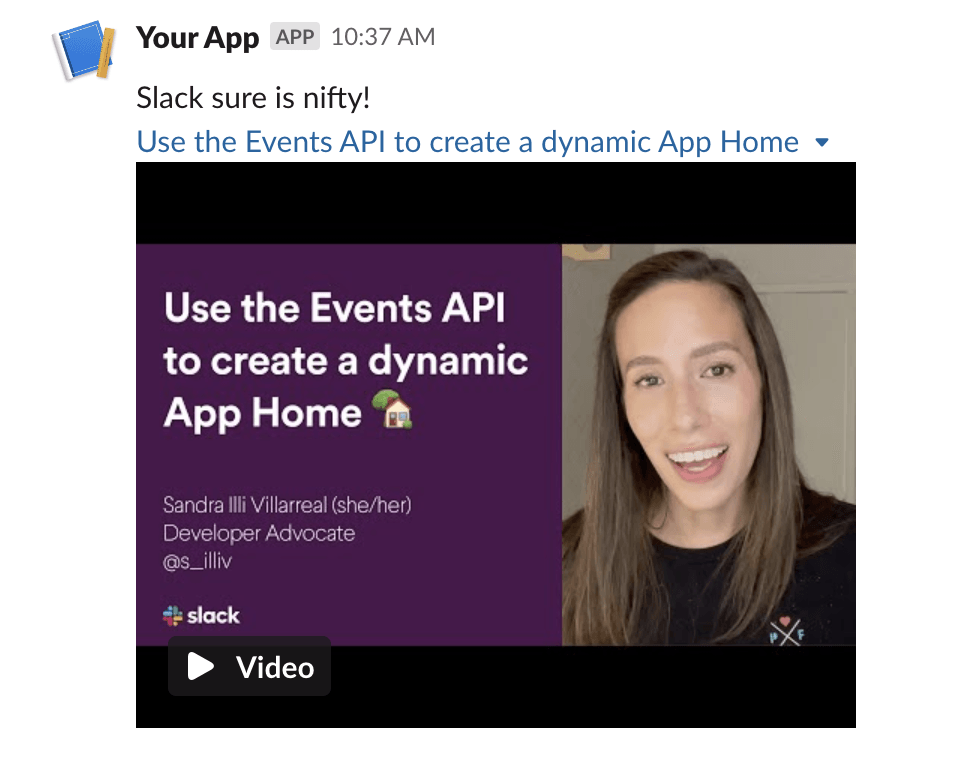
Embeds a video from a Slack-supported provider such as YouTube or Vimeo. Plain strings supplied for title and description are converted to Slack plain_text objects automatically.
Required: alt_text, thumbnail_url, title, video_url. Slack restricts which domains may be embedded — supplying an unsupported URL will produce a Slack API error rather than an InvalidUsageError at construction.
- slackblocks
- JSON
- Slack UI
from slackblocks import VideoBlock

VideoBlock(
    alt_text="Use the Events API to create a dynamic App Home",
    block_id="fake_block_id",
    thumbnail_url="https://i.ytimg.com/vi/8876OZV_Yy0/hqdefault.jpg",
    title="Use the Events API to create a dynamic App Home",
    video_url="https://www.youtube.com/embed/8876OZV_Yy0?feature=oembed&autoplay=1",
    description="Slack sure is nifty!",
    title_url="https://www.youtube.com/watch?v=8876OZV_Yy0",
)
import { VideoBlock } from "@nicklambourne/slackblocks";

VideoBlock()
  .altText("Use the Events API to create a dynamic App Home")
  .blockId("fake_block_id")
  .thumbnailUrl("https://i.ytimg.com/vi/8876OZV_Yy0/hqdefault.jpg")
  .title("Use the Events API to create a dynamic App Home")
  .videoUrl("https://www.youtube.com/embed/8876OZV_Yy0?feature=oembed&autoplay=1")
  .description("Slack sure is nifty!")
  .titleUrl("https://www.youtube.com/watch?v=8876OZV_Yy0")
  .build();
block, err := slackblocks.NewVideoBlock().
    AltText("Use the Events API to create a dynamic App Home").
    BlockID("fake_block_id").
    ThumbnailURL("https://i.ytimg.com/vi/8876OZV_Yy0/hqdefault.jpg").
    Title("Use the Events API to create a dynamic App Home").
    VideoURL("https://www.youtube.com/embed/8876OZV_Yy0?feature=oembed&autoplay=1").
    Description("Slack sure is nifty!").
    TitleURL("https://www.youtube.com/watch?v=8876OZV_Yy0").
    Build()
VideoBlock block = VideoBlock.builder()
    .altText("Use the Events API to create a dynamic App Home")
    .blockId("fake_block_id")
    .thumbnailUrl("https://i.ytimg.com/vi/8876OZV_Yy0/hqdefault.jpg")
    .title("Use the Events API to create a dynamic App Home")
    .videoUrl("https://www.youtube.com/embed/8876OZV_Yy0?feature=oembed&autoplay=1")
    .description("Slack sure is nifty!")
    .titleUrl("https://www.youtube.com/watch?v=8876OZV_Yy0")
    .build();
var block = new VideoBlock(
    altText: "Use the Events API to create a dynamic App Home",
    thumbnailUrl: "https://i.ytimg.com/vi/8876OZV_Yy0/hqdefault.jpg",
    title: "Use the Events API to create a dynamic App Home",
    videoUrl: "https://www.youtube.com/embed/8876OZV_Yy0?feature=oembed&autoplay=1",
    description: "Slack sure is nifty!",
    titleUrl: "https://www.youtube.com/watch?v=8876OZV_Yy0",
    blockId: "fake_block_id");
require "slackblocks"
include Slackblocks
block = VideoBlock.new(
  alt_text: "Use the Events API to create a dynamic App Home",
  thumbnail_url: "https://i.ytimg.com/vi/8876OZV_Yy0/hqdefault.jpg",
  title: PlainText.new(text: "Use the Events API to create a dynamic App Home"),
  video_url: "https://www.youtube.com/embed/8876OZV_Yy0?feature=oembed&autoplay=1",
  block_id: "fake_block_id",
  description: PlainText.new(text: "Slack sure is nifty!"),
  title_url: "https://www.youtube.com/watch?v=8876OZV_Yy0"
)
puts block.to_json
use slackblocks::*;

fn main() -> Result<(), Box<dyn std::error::Error>> {
    let block = VideoBlock::builder()
        .block_id("fake_block_id")
        .alt_text("Use the Events API to create a dynamic App Home")
        .thumbnail_url("https://i.ytimg.com/vi/8876OZV_Yy0/hqdefault.jpg")
        .title(
            PlainText::builder()
                .text("Use the Events API to create a dynamic App Home")
                .build()?,
        )
        .video_url("https://www.youtube.com/embed/8876OZV_Yy0?feature=oembed&autoplay=1")
        .description(PlainText::builder().text("Slack sure is nifty!").build()?)
        .title_url("https://www.youtube.com/watch?v=8876OZV_Yy0")
        .build()?;
    println!("{}", serde_json::to_string(&block)?);
    Ok(())
}
<?php

declare(strict_types=1);

require 'vendor/autoload.php';

use Slackblocks as S;

$block = new S\VideoBlock(
    altText: 'Use the Events API to create a dynamic App Home',
    thumbnailUrl: 'https://i.ytimg.com/vi/8876OZV_Yy0/hqdefault.jpg',
    title: new S\PlainText(
        text: 'Use the Events API to create a dynamic App Home',
    ),
    videoUrl: 'https://www.youtube.com/embed/8876OZV_Yy0?feature=oembed&autoplay=1',
    blockId: 'fake_block_id',
    description: new S\PlainText(
        text: 'Slack sure is nifty!',
    ),
    titleUrl: 'https://www.youtube.com/watch?v=8876OZV_Yy0',
);
echo $block->toJson();
block =
  Slackblocks.Blocks.Video.new!(
    block_id: "fake_block_id",
    alt_text: "Use the Events API to create a dynamic App Home",
    thumbnail_url: "https://i.ytimg.com/vi/8876OZV_Yy0/hqdefault.jpg",
    title:
      Slackblocks.Objects.PlainText.new!(text: "Use the Events API to create a dynamic App Home"),
    video_url: "https://www.youtube.com/embed/8876OZV_Yy0?feature=oembed&autoplay=1",
    description: Slackblocks.Objects.PlainText.new!(text: "Slack sure is nifty!"),
    title_url: "https://www.youtube.com/watch?v=8876OZV_Yy0"
  )

Slackblocks.to_map!(block)
{
    "type": "video",
    "block_id": "fake_block_id",
    "alt_text": "Use the Events API to create a dynamic App Home",
    "thumbnail_url": "https://i.ytimg.com/vi/8876OZV_Yy0/hqdefault.jpg",
    "title": {
        "type": "plain_text",
        "text": "Use the Events API to create a dynamic App Home"
    },
    "video_url": "https://www.youtube.com/embed/8876OZV_Yy0?feature=oembed&autoplay=1",
    "description": {
        "type": "plain_text",
        "text": "Slack sure is nifty!"
    },
    "title_url": "https://www.youtube.com/watch?v=8876OZV_Yy0"
}
See the Slack reference for the full list of optional fields and provider requirements.
Alert Block
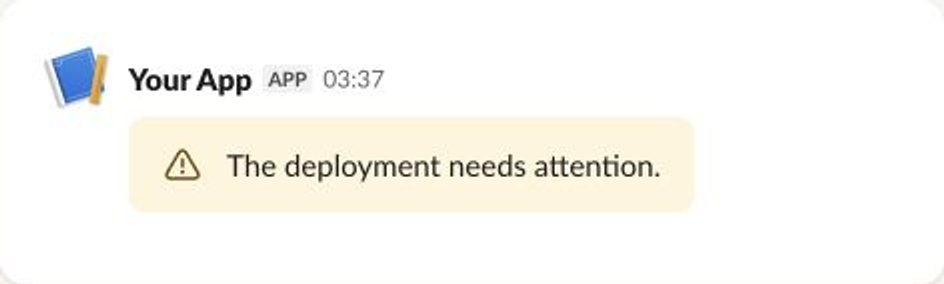
Alerts add a severity-labelled notice to a modal.
Required: text (up to 200 characters). level sets the severity: default, info, warning, error, or success.
- slackblocks
- JSON
- Slack UI
from slackblocks import AlertBlock

AlertBlock(
    "The deployment needs attention.",
    level="warning",
    block_id="fake_block_id",
)
import { AlertBlock } from "@nicklambourne/slackblocks";

AlertBlock()
  .text("The deployment needs attention.")
  .level("warning")
  .blockId("fake_block_id")
  .build();
block, err := slackblocks.NewAlertBlock().
    Text("The deployment needs attention.").
    Level("warning").
    BlockID("fake_block_id").
    Build()
AlertBlock block = AlertBlock.builder()
    .text("The deployment needs attention.")
    .level(AlertLevel.WARNING)
    .blockId("fake_block_id")
    .build();
var block = new AlertBlock(
    "The deployment needs attention.",
    level: AlertLevel.Warning,
    blockId: "fake_block_id");
require "slackblocks"
include Slackblocks
block = AlertBlock.new(
  text: MarkdownText.new(text: "The deployment needs attention."),
  level: :warning,
  block_id: "fake_block_id"
)
puts block.to_json
use slackblocks::*;

fn main() -> Result<(), Box<dyn std::error::Error>> {
    let block = AlertBlock::builder()
        .block_id("fake_block_id")
        .text(
            MarkdownText::builder()
                .text("The deployment needs attention.")
                .build()?,
        )
        .level(AlertLevel::Warning)
        .build()?;
    println!("{}", serde_json::to_string(&block)?);
    Ok(())
}
<?php

declare(strict_types=1);

require 'vendor/autoload.php';

use Slackblocks as S;

$block = new S\AlertBlock(
    text: new S\MarkdownText(
        text: 'The deployment needs attention.',
    ),
    level: S\AlertLevel::Warning,
    blockId: 'fake_block_id',
);
echo $block->toJson();
block =
  Slackblocks.Blocks.Alert.new!(
    block_id: "fake_block_id",
    text: Slackblocks.Objects.MarkdownText.new!(text: "The deployment needs attention."),
    level: :warning
  )

Slackblocks.to_map!(block)
{
  "type": "alert",
  "block_id": "fake_block_id",
  "text": {
    "type": "mrkdwn",
    "text": "The deployment needs attention."
  },
  "level": "warning"
}
Card Block
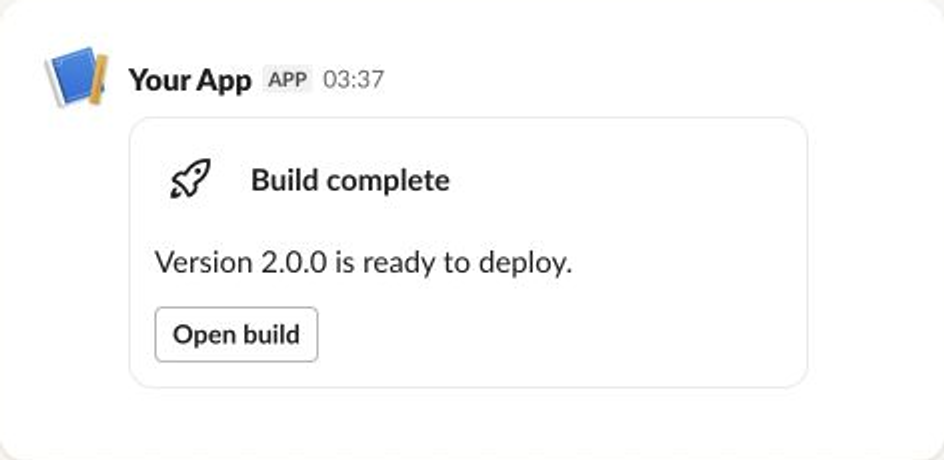
Cards combine text, images, Slack-provided icons, and up to three buttons in a compact panel.
Provide at least one of hero_image, title, actions, or body. An image icon and a slack_icon cannot be combined.
- slackblocks
- JSON
- Slack UI
from slackblocks import Button, CardBlock, SlackIcon

CardBlock(
    title="Build complete",
    body="Version 2.1.0 is ready to deploy.",
    slack_icon=SlackIcon("rocket"),
    actions=Button("Open build", "open_build"),
    block_id="fake_block_id",
)
import { Button, CardBlock, SlackIcon } from "@nicklambourne/slackblocks";

CardBlock()
  .title("Build complete")
  .body("Version 2.1.0 is ready to deploy.")
  .slackIcon(SlackIcon().name("rocket"))
  .actions(Button().text("Open build").actionId("open_build"))
  .blockId("fake_block_id")
  .build();
block, err := slackblocks.NewCardBlock().
    Title("Build complete").
    Body("Version 2.1.0 is ready to deploy.").
    SlackIcon(slackblocks.NewSlackIcon().Name("rocket")).
    Actions(slackblocks.NewButton().Text("Open build").ActionID("open_build")).
    BlockID("fake_block_id").
    Build()
CardBlock block = CardBlock.builder()
    .title("Build complete")
    .body("Version 2.1.0 is ready to deploy.")
    .slackIcon(SlackIcon.builder().name("rocket").build())
    .actions(ButtonElement.builder().text("Open build").actionId("open_build").build())
    .blockId("fake_block_id")
    .build();
var block = new CardBlock(
    title: "Build complete",
    body: "Version 2.1.0 is ready to deploy.",
    actions: [new ButtonElement("Open build", "open_build")],
    slackIcon: new SlackIcon(name: "rocket"),
    blockId: "fake_block_id");
require "slackblocks"
include Slackblocks
block = CardBlock.new(
  title: MarkdownText.new(text: "Build complete"),
  body: MarkdownText.new(text: "Version 2.1.0 is ready to deploy."),
  actions: [ButtonElement.new(text: PlainText.new(text: "Open build"), action_id: "open_build")],
  slack_icon: SlackIcon.new(name: "rocket"),
  block_id: "fake_block_id"
)
puts block.to_json
use slackblocks::*;

fn main() -> Result<(), Box<dyn std::error::Error>> {
    let block = CardBlock::builder()
        .block_id("fake_block_id")
        .title(MarkdownText::builder().text("Build complete").build()?)
        .body(
            MarkdownText::builder()
                .text("Version 2.1.0 is ready to deploy.")
                .build()?,
        )
        .actions(vec![ButtonElement::from(
            ButtonElement::builder()
                .text(PlainText::builder().text("Open build").build()?)
                .action_id("open_build")
                .build()?,
        )])
        .slack_icon(SlackIcon::builder().name("rocket").build()?)
        .build()?;
    println!("{}", serde_json::to_string(&block)?);
    Ok(())
}
<?php

declare(strict_types=1);

require 'vendor/autoload.php';

use Slackblocks as S;

$block = new S\CardBlock(
    title: new S\MarkdownText(
        text: 'Build complete',
    ),
    body: new S\MarkdownText(
        text: 'Version 2.1.0 is ready to deploy.',
    ),
    actions: [new S\ButtonElement(
        text: new S\PlainText(
            text: 'Open build',
        ),
        actionId: 'open_build',
    )],
    slackIcon: new S\SlackIcon(
        name: 'rocket',
    ),
    blockId: 'fake_block_id',
);
echo $block->toJson();
block =
  Slackblocks.Blocks.Card.new!(
    block_id: "fake_block_id",
    title: Slackblocks.Objects.MarkdownText.new!(text: "Build complete"),
    body: Slackblocks.Objects.MarkdownText.new!(text: "Version 2.1.0 is ready to deploy."),
    actions: [
      Slackblocks.Elements.Button.new!(
        text: Slackblocks.Objects.PlainText.new!(text: "Open build"),
        action_id: "open_build"
      )
    ],
    slack_icon: Slackblocks.Objects.SlackIcon.new!(name: "rocket")
  )

Slackblocks.to_map!(block)
{
  "type": "card",
  "block_id": "fake_block_id",
  "title": {
    "type": "mrkdwn",
    "text": "Build complete"
  },
  "body": {
    "type": "mrkdwn",
    "text": "Version 2.1.0 is ready to deploy."
  },
  "actions": [
    {
      "type": "button",
      "text": {
        "type": "plain_text",
        "text": "Open build"
      },
      "action_id": "open_build"
    }
  ],
  "slack_icon": {
    "type": "icon",
    "name": "rocket"
  }
}
Carousel Block
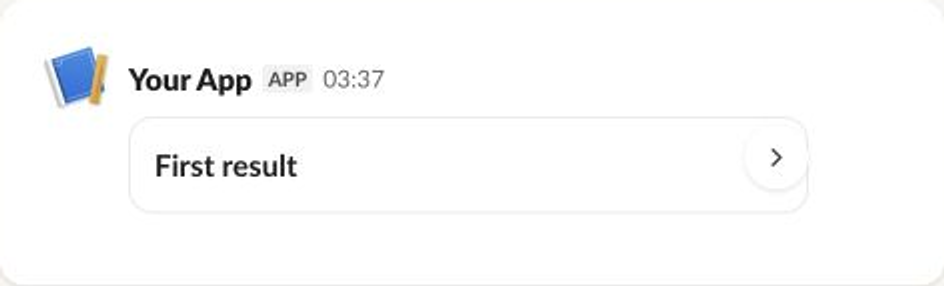
A carousel presents between one and ten cards in a horizontally scrolling collection.
Required: elements.
- slackblocks
- JSON
- Slack UI
from slackblocks import CardBlock, CarouselBlock

CarouselBlock([
    CardBlock(title="First result", block_id="card_1"),
    CardBlock(title="Second result", block_id="card_2"),
], block_id="fake_block_id")
import { CardBlock, CarouselBlock } from "@nicklambourne/slackblocks";

CarouselBlock()
  .elements(
    CardBlock().title("First result").blockId("card_1"),
    CardBlock().title("Second result").blockId("card_2"),
  )
  .blockId("fake_block_id")
  .build();
block, err := slackblocks.NewCarouselBlock().
    Elements(
        slackblocks.NewCardBlock().Title("First result").BlockID("card_1"),
        slackblocks.NewCardBlock().Title("Second result").BlockID("card_2"),
    ).
    BlockID("fake_block_id").
    Build()
CarouselBlock block = CarouselBlock.builder()
    .elements(
        CardBlock.builder().title("First result").blockId("card_1").build(),
        CardBlock.builder().title("Second result").blockId("card_2").build())
    .blockId("fake_block_id")
    .build();
var block = new CarouselBlock(
    elements: [
        new CardBlock(title: "First result", blockId: "card_1"),
        new CardBlock(title: "Second result", blockId: "card_2"),
    ],
    blockId: "fake_block_id");
require "slackblocks"
include Slackblocks
block = CarouselBlock.new(
  elements: [
    CardBlock.new(title: MarkdownText.new(text: "First result"), block_id: "card_1"),
    CardBlock.new(title: MarkdownText.new(text: "Second result"), block_id: "card_2")
  ],
  block_id: "fake_block_id"
)
puts block.to_json
use slackblocks::*;

fn main() -> Result<(), Box<dyn std::error::Error>> {
    let block = CarouselBlock::builder()
        .block_id("fake_block_id")
        .elements(vec![
            CardBlock::from(
                CardBlock::builder()
                    .block_id("card_1")
                    .title(MarkdownText::builder().text("First result").build()?)
                    .build()?,
            ),
            CardBlock::from(
                CardBlock::builder()
                    .block_id("card_2")
                    .title(MarkdownText::builder().text("Second result").build()?)
                    .build()?,
            ),
        ])
        .build()?;
    println!("{}", serde_json::to_string(&block)?);
    Ok(())
}
<?php

declare(strict_types=1);

require 'vendor/autoload.php';

use Slackblocks as S;

$block = new S\CarouselBlock(
    elements: [new S\CardBlock(
        title: new S\MarkdownText(
            text: 'First result',
        ),
        blockId: 'card_1',
    ), new S\CardBlock(
        title: new S\MarkdownText(
            text: 'Second result',
        ),
        blockId: 'card_2',
    )],
    blockId: 'fake_block_id',
);
echo $block->toJson();
block =
  Slackblocks.Blocks.Carousel.new!(
    block_id: "fake_block_id",
    elements: [
      Slackblocks.Blocks.Card.new!(
        block_id: "card_1",
        title: Slackblocks.Objects.MarkdownText.new!(text: "First result")
      ),
      Slackblocks.Blocks.Card.new!(
        block_id: "card_2",
        title: Slackblocks.Objects.MarkdownText.new!(text: "Second result")
      )
    ]
  )

Slackblocks.to_map!(block)
{
  "type": "carousel",
  "block_id": "fake_block_id",
  "elements": [
    {
      "type": "card",
      "block_id": "card_1",
      "title": {
        "type": "mrkdwn",
        "text": "First result"
      }
    },
    {
      "type": "card",
      "block_id": "card_2",
      "title": {
        "type": "mrkdwn",
        "text": "Second result"
      }
    }
  ]
}
Container Block
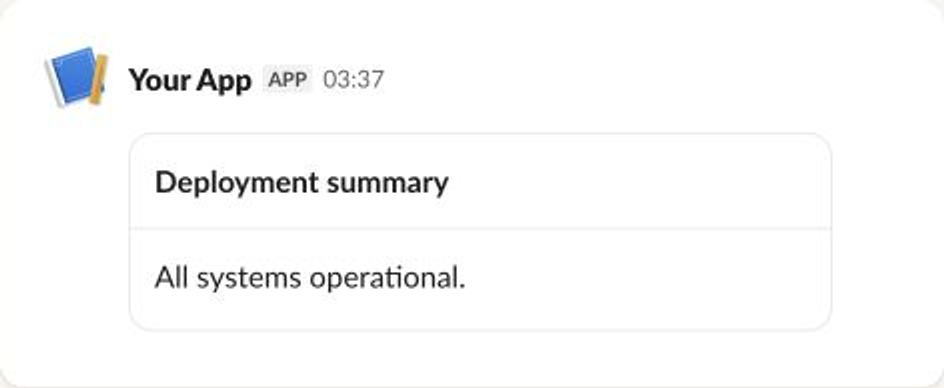
Containers group up to ten related child blocks under a plain-text or rich-text title.
Required: child_blocks, plus either title or rich_text_title.
- slackblocks
- JSON
- Slack UI
from slackblocks import ContainerBlock, SectionBlock

ContainerBlock(
    title="Deployment summary",
    child_blocks=[
        SectionBlock("All systems operational.", block_id="child_1"),
    ],
    has_header_divider=True,
    block_id="fake_block_id",
)
import { ContainerBlock, SectionBlock } from "@nicklambourne/slackblocks";

ContainerBlock()
  .title("Deployment summary")
  .childBlocks(
    SectionBlock().text("All systems operational.").blockId("child_1"),
  )
  .width("standard")
  .isCollapsible(false)
  .defaultCollapsed(false)
  .hasHeaderDivider(true)
  .blockId("fake_block_id")
  .build();
block, err := slackblocks.NewContainerBlock().
    Title("Deployment summary").
    ChildBlocks(slackblocks.NewSectionBlock().Text("All systems operational.").BlockID("child_1")).
    Width("standard").
    IsCollapsible(false).
    DefaultCollapsed(false).
    HasHeaderDivider(true).
    BlockID("fake_block_id").
    Build()
ContainerBlock block = ContainerBlock.builder()
    .title("Deployment summary")
    .childBlocks(SectionBlock.builder()
        .markdownText("All systems operational.").blockId("child_1").build())
    .width(ContainerWidth.STANDARD)
    .isCollapsible(false)
    .defaultCollapsed(false)
    .hasHeaderDivider(true)
    .blockId("fake_block_id")
    .build();
var block = new ContainerBlock(
    childBlocks: [new SectionBlock(text: "All systems operational.", blockId: "child_1")],
    title: "Deployment summary",
    width: ContainerWidth.Standard,
    isCollapsible: false,
    defaultCollapsed: false,
    hasHeaderDivider: true,
    blockId: "fake_block_id");
require "slackblocks"
include Slackblocks
block = ContainerBlock.new(
  child_blocks: [SectionBlock.new(text: MarkdownText.new(text: "All systems operational."), block_id: "child_1")],
  title: PlainText.new(text: "Deployment summary"),
  width: :standard,
  is_collapsible: false,
  default_collapsed: false,
  has_header_divider: true,
  block_id: "fake_block_id"
)
puts block.to_json
use slackblocks::*;

fn main() -> Result<(), Box<dyn std::error::Error>> {
    let block = ContainerBlock::builder()
        .block_id("fake_block_id")
        .title(PlainText::builder().text("Deployment summary").build()?)
        .child_blocks(vec![Block::from(
            SectionBlock::builder()
                .block_id("child_1")
                .text(
                    MarkdownText::builder()
                        .text("All systems operational.")
                        .build()?,
                )
                .build()?,
        )])
        .width(ContainerWidth::Standard)
        .is_collapsible(false)
        .default_collapsed(false)
        .has_header_divider(true)
        .build()?;
    println!("{}", serde_json::to_string(&block)?);
    Ok(())
}
<?php

declare(strict_types=1);

require 'vendor/autoload.php';

use Slackblocks as S;

$block = new S\ContainerBlock(
    childBlocks: [new S\SectionBlock(
        text: new S\MarkdownText(
            text: 'All systems operational.',
        ),
        blockId: 'child_1',
    )],
    title: new S\PlainText(
        text: 'Deployment summary',
    ),
    width: S\ContainerWidth::Standard,
    isCollapsible: false,
    defaultCollapsed: false,
    hasHeaderDivider: true,
    blockId: 'fake_block_id',
);
echo $block->toJson();
block =
  Slackblocks.Blocks.Container.new!(
    block_id: "fake_block_id",
    title: Slackblocks.Objects.PlainText.new!(text: "Deployment summary"),
    child_blocks: [
      Slackblocks.Blocks.Section.new!(
        block_id: "child_1",
        text: Slackblocks.Objects.MarkdownText.new!(text: "All systems operational.")
      )
    ],
    width: :standard,
    is_collapsible: false,
    default_collapsed: false,
    has_header_divider: true
  )

Slackblocks.to_map!(block)
{
  "type": "container",
  "block_id": "fake_block_id",
  "title": {
    "type": "plain_text",
    "text": "Deployment summary"
  },
  "child_blocks": [
    {
      "type": "section",
      "block_id": "child_1",
      "text": {
        "type": "mrkdwn",
        "text": "All systems operational."
      }
    }
  ],
  "width": "standard",
  "is_collapsible": false,
  "default_collapsed": false,
  "has_header_divider": true
}
Context Actions Block
Context actions hold feedback controls or compact icon buttons. Slack currently offers the trash icon for icon buttons.
Required: elements (up to 5).
- slackblocks
- JSON
- Slack UI
from slackblocks import ContextActionsBlock, FeedbackButton, FeedbackButtons

ContextActionsBlock([
    FeedbackButtons(
        positive_button=FeedbackButton("Good", "positive"),
        negative_button=FeedbackButton("Bad", "negative"),
        action_id="response_feedback",
    )
], block_id="fake_block_id")
import { ContextActionsBlock, FeedbackButton, FeedbackButtons } from "@nicklambourne/slackblocks";

ContextActionsBlock()
  .elements(
    FeedbackButtons()
      .actionId("response_feedback")
      .positiveButton(FeedbackButton().text("Good").value("positive"))
      .negativeButton(FeedbackButton().text("Bad").value("negative")),
  )
  .blockId("fake_block_id")
  .build();
block, err := slackblocks.NewContextActionsBlock().
    Elements(
        slackblocks.NewFeedbackButtons().
            ActionID("response_feedback").
            PositiveButton(slackblocks.NewFeedbackButton().Text("Good").Value("positive")).
            NegativeButton(slackblocks.NewFeedbackButton().Text("Bad").Value("negative")),
    ).
    BlockID("fake_block_id").
    Build()
ContextActionsBlock block = ContextActionsBlock.builder()
    .elements(FeedbackButtonsElement.builder()
        .actionId("response_feedback")
        .positiveButton(FeedbackButton.builder().plainText("Good").value("positive").build())
        .negativeButton(FeedbackButton.builder().plainText("Bad").value("negative").build())
        .build())
    .blockId("fake_block_id")
    .build();
var block = new ContextActionsBlock(
    elements: [
        new FeedbackButtonsElement(
            positiveButton: new FeedbackButton("Good", "positive"),
            negativeButton: new FeedbackButton("Bad", "negative"),
            actionId: "response_feedback"),
    ],
    blockId: "fake_block_id");
require "slackblocks"
include Slackblocks
block = ContextActionsBlock.new(
  elements: [
    FeedbackButtonsElement.new(
      positive_button: FeedbackButton.new(text: PlainText.new(text: "Good"), value: "positive"),
      negative_button: FeedbackButton.new(text: PlainText.new(text: "Bad"), value: "negative"),
      action_id: "response_feedback"
    )
  ],
  block_id: "fake_block_id"
)
puts block.to_json
use slackblocks::*;

fn main() -> Result<(), Box<dyn std::error::Error>> {
    let block = ContextActionsBlock::builder()
        .block_id("fake_block_id")
        .elements(vec![ContextActionsElement::from(
            FeedbackButtonsElement::builder()
                .positive_button(
                    FeedbackButton::builder()
                        .text(PlainText::builder().text("Good").build()?)
                        .value("positive")
                        .build()?,
                )
                .negative_button(
                    FeedbackButton::builder()
                        .text(PlainText::builder().text("Bad").build()?)
                        .value("negative")
                        .build()?,
                )
                .action_id("response_feedback")
                .build()?,
        )])
        .build()?;
    println!("{}", serde_json::to_string(&block)?);
    Ok(())
}
<?php

declare(strict_types=1);

require 'vendor/autoload.php';

use Slackblocks as S;

$block = new S\ContextActionsBlock(
    elements: [new S\FeedbackButtonsElement(
        positiveButton: new S\FeedbackButton(
            text: new S\PlainText(
                text: 'Good',
            ),
            value: 'positive',
        ),
        negativeButton: new S\FeedbackButton(
            text: new S\PlainText(
                text: 'Bad',
            ),
            value: 'negative',
        ),
        actionId: 'response_feedback',
    )],
    blockId: 'fake_block_id',
);
echo $block->toJson();
block =
  Slackblocks.Blocks.ContextActions.new!(
    block_id: "fake_block_id",
    elements: [
      Slackblocks.Elements.FeedbackButtons.new!(
        positive_button:
          Slackblocks.Objects.FeedbackButton.new!(
            text: Slackblocks.Objects.PlainText.new!(text: "Good"),
            value: "positive"
          ),
        negative_button:
          Slackblocks.Objects.FeedbackButton.new!(
            text: Slackblocks.Objects.PlainText.new!(text: "Bad"),
            value: "negative"
          ),
        action_id: "response_feedback"
      )
    ]
  )

Slackblocks.to_map!(block)
{
  "type": "context_actions",
  "block_id": "fake_block_id",
  "elements": [
    {
      "type": "feedback_buttons",
      "positive_button": {
        "text": {
          "type": "plain_text",
          "text": "Good"
        },
        "value": "positive"
      },
      "negative_button": {
        "text": {
          "type": "plain_text",
          "text": "Bad"
        },
        "value": "negative"
      },
      "action_id": "response_feedback"
    }
  ]
}

Data Table Block
Data tables support raw text, sortable raw numbers, and rich-text body cells. They require a header plus at least one data row.
Required: rows and caption. Tables hold up to 200 data rows, every row must have the same number of cells, and all cell text together is limited to 20,000 characters.
- slackblocks
- JSON
- Slack UI
from slackblocks import DataTableBlock, RawNumber, RawText

DataTableBlock(
    caption="Team scores",
    rows=[
        [RawText("Name"), RawText("Score")],
        [RawText("Alice"), RawNumber(42, "42")],
    ],
    block_id="fake_block_id",
)
import { DataTableBlock, RawNumber, RawText } from "@nicklambourne/slackblocks";

DataTableBlock()
  .caption("Team scores")
  .rows([RawText().text("Name"), RawText().text("Score")])
  .rows([RawText().text("Alice"), RawNumber().value(42).text("42")])
  .blockId("fake_block_id")
  .build();
block, err := slackblocks.NewDataTableBlock().
    Caption("Team scores").
    Rows(
        []slackblocks.DataTableCell{slackblocks.NewRawText().Text("Name"), slackblocks.NewRawText().Text("Score")},
        []slackblocks.DataTableCell{slackblocks.NewRawText().Text("Alice"), slackblocks.NewRawNumber().Value(42).Text("42")},
    ).
    BlockID("fake_block_id").
    Build()
DataTableBlock block = DataTableBlock.builder()
    .caption("Team scores")
    .rows(
        List.of(RawText.builder().text("Name").build(), RawText.builder().text("Score").build()),
        List.of(RawText.builder().text("Alice").build(),
            RawNumber.builder().value(42).text("42").build()))
    .blockId("fake_block_id")
    .build();
var block = new DataTableBlock(
    rows: [
        [new RawText("Name"), new RawText("Score")],
        [new RawText("Alice"), new RawNumber(42, "42")],
    ],
    caption: "Team scores",
    blockId: "fake_block_id");
require "slackblocks"
include Slackblocks
block = DataTableBlock.new(
  rows: [
    [RawText.new(text: "Name"), RawText.new(text: "Score")],
    [RawText.new(text: "Alice"), RawNumber.new(value: 42, text: "42")]
  ],
  caption: "Team scores",
  page_size: 5,
  row_header_column_index: 0,
  block_id: "fake_block_id"
)
puts block.to_json
use slackblocks::*;

fn main() -> Result<(), Box<dyn std::error::Error>> {
    let block = DataTableBlock::builder()
        .block_id("fake_block_id")
        .rows(vec![
            vec![
                DataTableCell::from(RawText::builder().text("Name").build()?),
                DataTableCell::from(RawText::builder().text("Score").build()?),
            ],
            vec![
                DataTableCell::from(RawText::builder().text("Alice").build()?),
                DataTableCell::from(RawNumber::builder().value(42_i64).text("42").build()?),
            ],
        ])
        .page_size(5_i64)
        .caption("Team scores")
        .row_header_column_index(0_i64)
        .build()?;
    println!("{}", serde_json::to_string(&block)?);
    Ok(())
}
<?php

declare(strict_types=1);

require 'vendor/autoload.php';

use Slackblocks as S;

$block = new S\DataTableBlock(
    rows: [[new S\RawText(
        text: 'Name',
    ), new S\RawText(
        text: 'Score',
    )], [new S\RawText(
        text: 'Alice',
    ), new S\RawNumber(
        value: 42,
        text: '42',
    )]],
    caption: 'Team scores',
    pageSize: 5,
    rowHeaderColumnIndex: 0,
    blockId: 'fake_block_id',
);
echo $block->toJson();
block =
  Slackblocks.Blocks.DataTable.new!(
    block_id: "fake_block_id",
    rows: [
      [
        Slackblocks.Objects.RawText.new!(text: "Name"),
        Slackblocks.Objects.RawText.new!(text: "Score")
      ],
      [
        Slackblocks.Objects.RawText.new!(text: "Alice"),
        Slackblocks.Objects.RawNumber.new!(value: 42, text: "42")
      ]
    ],
    page_size: 5,
    caption: "Team scores",
    row_header_column_index: 0
  )

Slackblocks.to_map!(block)
{
  "type": "data_table",
  "block_id": "fake_block_id",
  "rows": [
    [
      {
        "type": "raw_text",
        "text": "Name"
      },
      {
        "type": "raw_text",
        "text": "Score"
      }
    ],
    [
      {
        "type": "raw_text",
        "text": "Alice"
      },
      {
        "type": "raw_number",
        "value": 42,
        "text": "42"
      }
    ]
  ],
  "page_size": 5,
  "caption": "Team scores",
  "row_header_column_index": 0
}
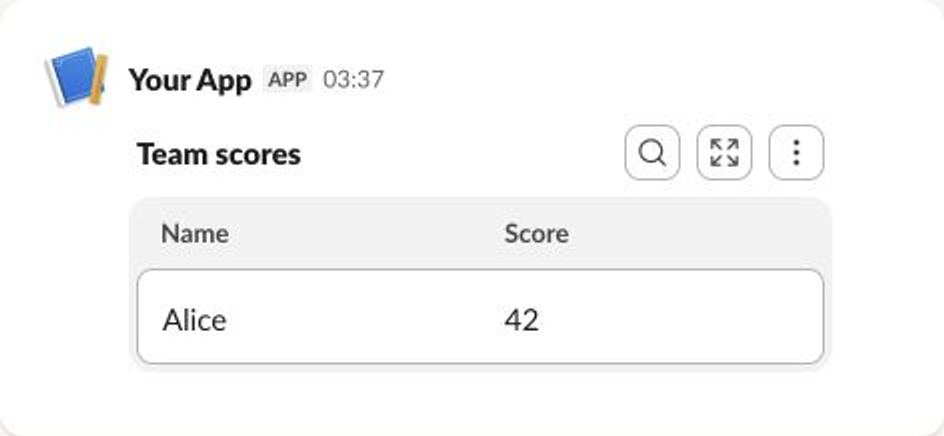
Data Visualization Block
Slack can render pie charts or axis-based bar, area, and line charts directly from Block Kit data.
Required: title (up to 50 characters) and chart.
- slackblocks
- JSON
- Slack UI
from slackblocks import ChartSegment, DataVisualizationBlock, PieChart

DataVisualizationBlock(
    title="Incidents by severity",
    chart=PieChart([
        ChartSegment("High", 3),
        ChartSegment("Low", 12),
    ]),
    block_id="fake_block_id",
)
import { ChartSegment, DataVisualizationBlock, PieChart } from "@nicklambourne/slackblocks";

DataVisualizationBlock()
  .title("Incidents by severity")
  .chart(
    PieChart().segments(
      ChartSegment().label("High").value(3),
      ChartSegment().label("Low").value(12),
    ),
  )
  .blockId("fake_block_id")
  .build();
block, err := slackblocks.NewDataVisualizationBlock().
    Title("Incidents by severity").
    Chart(
        slackblocks.NewPieChart().Segments(
            slackblocks.NewChartSegment().Label("High").Value(3),
            slackblocks.NewChartSegment().Label("Low").Value(12),
        ),
    ).
    BlockID("fake_block_id").
    Build()
DataVisualizationBlock block = DataVisualizationBlock.builder()
    .title("Incidents by severity")
    .chart(PieChart.builder()
        .segments(
            ChartSegment.builder().label("High").value(3).build(),
            ChartSegment.builder().label("Low").value(12).build())
        .build())
    .blockId("fake_block_id")
    .build();
var block = new DataVisualizationBlock(
    "Incidents by severity",
    chart: new PieChart(segments: [new ChartSegment("High", 3), new ChartSegment("Low", 12)]),
    blockId: "fake_block_id");
require "slackblocks"
include Slackblocks
block = DataVisualizationBlock.new(
  title: "Incidents by severity",
  chart: PieChart.new(
    segments: [ChartSegment.new(label: "High", value: 3), ChartSegment.new(label: "Low", value: 12)]
  ),
  block_id: "fake_block_id"
)
puts block.to_json
use slackblocks::*;

fn main() -> Result<(), Box<dyn std::error::Error>> {
    let block = DataVisualizationBlock::builder()
        .block_id("fake_block_id")
        .title("Incidents by severity")
        .chart(
            PieChart::builder()
                .segments(vec![
                    ChartSegment::from(ChartSegment::builder().label("High").value(3_i64).build()?),
                    ChartSegment::from(ChartSegment::builder().label("Low").value(12_i64).build()?),
                ])
                .build()?,
        )
        .build()?;
    println!("{}", serde_json::to_string(&block)?);
    Ok(())
}
<?php

declare(strict_types=1);

require 'vendor/autoload.php';

use Slackblocks as S;

$block = new S\DataVisualizationBlock(
    title: 'Incidents by severity',
    chart: new S\PieChart(
        segments: [new S\ChartSegment(
            label: 'High',
            value: 3,
        ), new S\ChartSegment(
            label: 'Low',
            value: 12,
        )],
    ),
    blockId: 'fake_block_id',
);
echo $block->toJson();
block =
  Slackblocks.Blocks.DataVisualization.new!(
    block_id: "fake_block_id",
    title: "Incidents by severity",
    chart:
      Slackblocks.Objects.PieChart.new!(
        segments: [
          Slackblocks.Objects.ChartSegment.new!(label: "High", value: 3),
          Slackblocks.Objects.ChartSegment.new!(label: "Low", value: 12)
        ]
      )
  )

Slackblocks.to_map!(block)
{
  "type": "data_visualization",
  "block_id": "fake_block_id",
  "title": "Incidents by severity",
  "chart": {
    "type": "pie",
    "segments": [
      {
        "label": "High",
        "value": 3
      },
      {
        "label": "Low",
        "value": 12
      }
    ]
  }
}
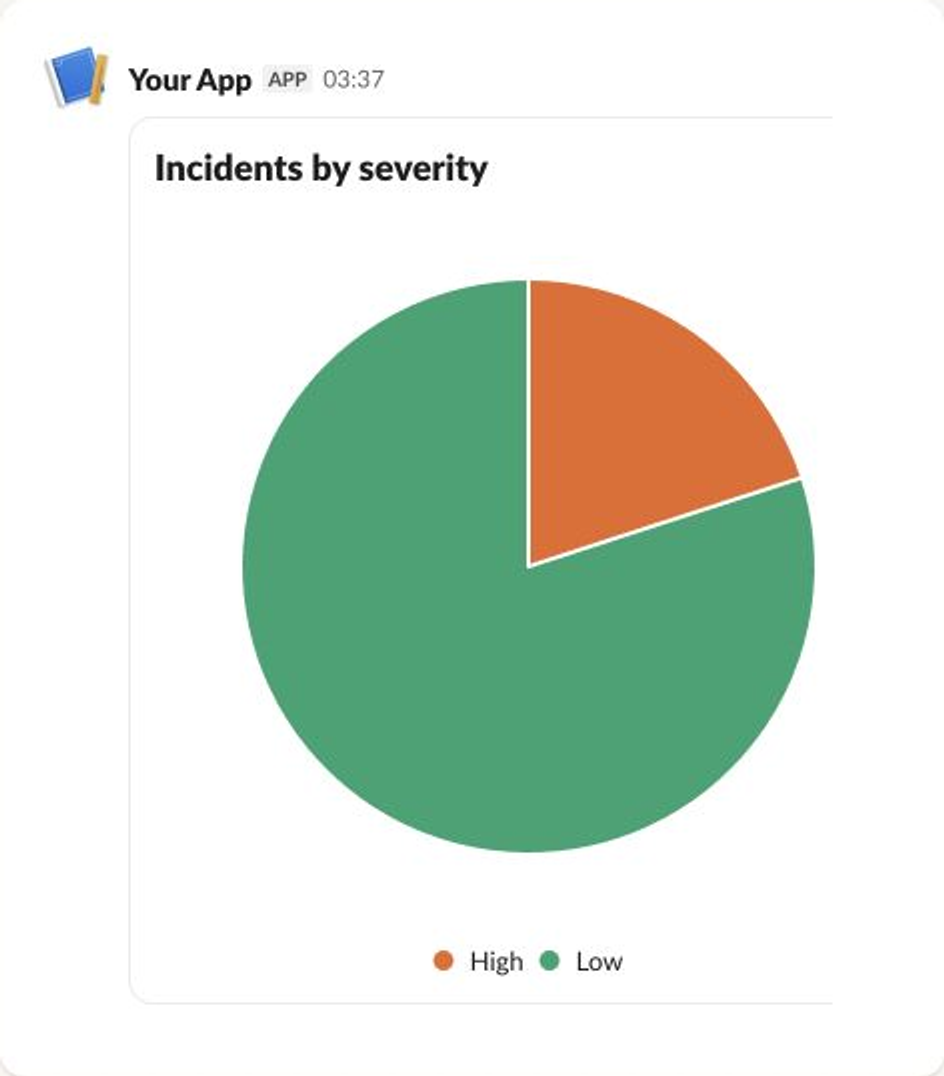
Task Card Block
Task cards show a task's state, optional rich-text details or output, and the URL sources used to produce it.
Required: task_id and title.
- slackblocks
- JSON
- Slack UI
from slackblocks import TaskCardBlock, URLSource

TaskCardBlock(
    task_id="weather_1",
    title="Fetch weather data",
    status="complete",
    sources=[URLSource("https://weather.com/", "weather.com")],
    block_id="fake_block_id",
)
import { TaskCardBlock, UrlSource } from "@nicklambourne/slackblocks";

TaskCardBlock()
  .taskId("weather_1")
  .title("Fetch weather data")
  .status("complete")
  .sources(UrlSource().url("https://weather.com/").text("weather.com"))
  .blockId("fake_block_id")
  .build();
block, err := slackblocks.NewTaskCardBlock().
    TaskID("weather_1").
    Title("Fetch weather data").
    Status("complete").
    Sources(slackblocks.NewURLSource().URL("https://weather.com/").Text("weather.com")).
    BlockID("fake_block_id").
    Build()
TaskCardBlock block = TaskCardBlock.builder()
    .taskId("weather_1")
    .title("Fetch weather data")
    .status(TaskStatus.COMPLETE)
    .sources(UrlSource.builder().url("https://weather.com/").text("weather.com").build())
    .blockId("fake_block_id")
    .build();
var block = new TaskCardBlock(
    "weather_1",
    "Fetch weather data",
    sources: [new UrlSource("https://weather.com/", "weather.com")],
    status: TaskCardStatus.Complete,
    blockId: "fake_block_id");
require "slackblocks"
include Slackblocks
block = TaskCardBlock.new(
  task_id: "weather_1",
  title: "Fetch weather data",
  sources: [UrlSource.new(url: "https://weather.com/", text: "weather.com")],
  status: :complete,
  block_id: "fake_block_id"
)
puts block.to_json
use slackblocks::*;

fn main() -> Result<(), Box<dyn std::error::Error>> {
    let block = TaskCardBlock::builder()
        .block_id("fake_block_id")
        .task_id("weather_1")
        .title("Fetch weather data")
        .sources(vec![UrlSource::from(
            UrlSource::builder()
                .url("https://weather.com/")
                .text("weather.com")
                .build()?,
        )])
        .status(TaskStatus::Complete)
        .build()?;
    println!("{}", serde_json::to_string(&block)?);
    Ok(())
}
<?php

declare(strict_types=1);

require 'vendor/autoload.php';

use Slackblocks as S;

$block = new S\TaskCardBlock(
    taskId: 'weather_1',
    title: 'Fetch weather data',
    sources: [new S\UrlSource(
        url: 'https://weather.com/',
        text: 'weather.com',
    )],
    status: S\TaskStatus::Complete,
    blockId: 'fake_block_id',
);
echo $block->toJson();
block =
  Slackblocks.Blocks.TaskCard.new!(
    block_id: "fake_block_id",
    task_id: "weather_1",
    title: "Fetch weather data",
    sources: [
      Slackblocks.Objects.UrlSource.new!(url: "https://weather.com/", text: "weather.com")
    ],
    status: :complete
  )

Slackblocks.to_map!(block)
{
  "type": "task_card",
  "block_id": "fake_block_id",
  "task_id": "weather_1",
  "title": "Fetch weather data",
  "sources": [
    {
      "type": "url",
      "url": "https://weather.com/",
      "text": "weather.com"
    }
  ],
  "status": "complete"
}
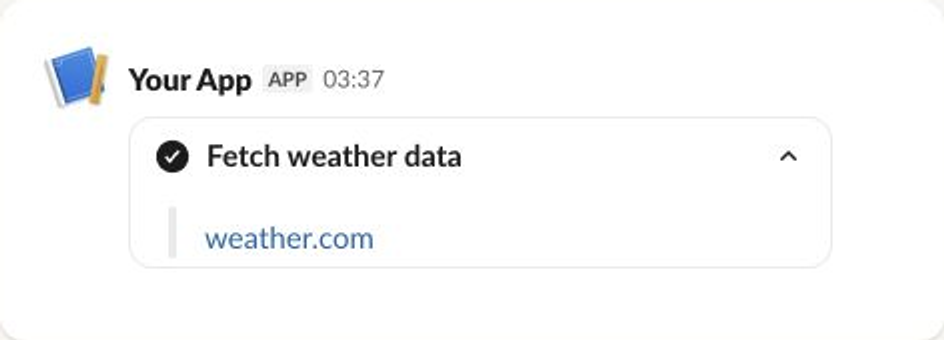
Plan Block
A plan groups task cards. slackblocks automatically renders nested tasks in Slack's plan-specific wire format.
Required: title.
- slackblocks
- JSON
- Slack UI
from slackblocks import PlanBlock, TaskCardBlock

PlanBlock(
    title="Release plan",
    tasks=[
        TaskCardBlock("test", "Run the test suite", status="complete"),
        TaskCardBlock("deploy", "Deploy the release", status="pending"),
    ],
    block_id="fake_block_id",
)
import { PlanBlock, TaskCardBlock } from "@nicklambourne/slackblocks";

PlanBlock()
  .title("Release plan")
  .tasks(
    TaskCardBlock().taskId("test").title("Run the test suite").status("complete"),
    TaskCardBlock().taskId("deploy").title("Deploy the release").status("pending"),
  )
  .blockId("fake_block_id")
  .build();
block, err := slackblocks.NewPlanBlock().
    Title("Release plan").
    Tasks(
        slackblocks.NewTaskCardBlock().TaskID("test").Title("Run the test suite").Status("complete"),
        slackblocks.NewTaskCardBlock().TaskID("deploy").Title("Deploy the release").Status("pending"),
    ).
    BlockID("fake_block_id").
    Build()
PlanBlock block = PlanBlock.builder()
    .title("Release plan")
    .tasks(
        TaskCardBlock.builder().taskId("test").title("Run the test suite").status(TaskStatus.COMPLETE).build(),
        TaskCardBlock.builder().taskId("deploy").title("Deploy the release").status(TaskStatus.PENDING).build())
    .blockId("fake_block_id")
    .build();
var block = new PlanBlock(
    "Release plan",
    tasks: [
        new TaskCardBlock("test", "Run the test suite", status: TaskCardStatus.Complete),
        new TaskCardBlock("deploy", "Deploy the release", status: TaskCardStatus.Pending),
    ],
    blockId: "fake_block_id");
require "slackblocks"
include Slackblocks
block = PlanBlock.new(
  title: "Release plan",
  tasks: [
    TaskCardBlock.new(task_id: "test", title: "Run the test suite", status: :complete),
    TaskCardBlock.new(task_id: "deploy", title: "Deploy the release", status: :pending)
  ],
  block_id: "fake_block_id"
)
puts block.to_json
use slackblocks::*;
fn main() -> Result<(), Box<dyn std::error::Error>> {
let block = PlanBlock::builder()
.block_id("fake_block_id")
.title("Release plan")
.tasks(vec![
TaskCardBlock::from(
TaskCardBlock::builder()
.task_id("test")
.title("Run the test suite")
.status(TaskStatus::Complete)
.build()?,
),
TaskCardBlock::from(
TaskCardBlock::builder()
.task_id("deploy")
.title("Deploy the release")
.status(TaskStatus::Pending)
.build()?,
),
])
.build()?;
println!("{}", serde_json::to_string(&block)?);
Ok(())
}
<?php
declare(strict_types=1);
require 'vendor/autoload.php';
use Slackblocks as S;
$block = new S\PlanBlock(
title: 'Release plan',
tasks: [new S\TaskCardBlock(
taskId: 'test',
title: 'Run the test suite',
status: S\TaskStatus::Complete,
), new S\TaskCardBlock(
taskId: 'deploy',
title: 'Deploy the release',
status: S\TaskStatus::Pending,
)],
blockId: 'fake_block_id',
);
echo $block->toJson();
block =
Slackblocks.Blocks.Plan.new!(
block_id: "fake_block_id",
title: "Release plan",
tasks: [
Slackblocks.Blocks.TaskCard.new!(
task_id: "test",
title: "Run the test suite",
status: :complete
),
Slackblocks.Blocks.TaskCard.new!(
task_id: "deploy",
title: "Deploy the release",
status: :pending
)
]
)
Slackblocks.to_map!(block)
{
"type": "plan",
"block_id": "fake_block_id",
"title": "Release plan",
"tasks": [
{
"task_id": "test",
"title": "Run the test suite",
"status": "complete"
},
{
"task_id": "deploy",
"title": "Deploy the release",
"status": "pending"
}
]
}
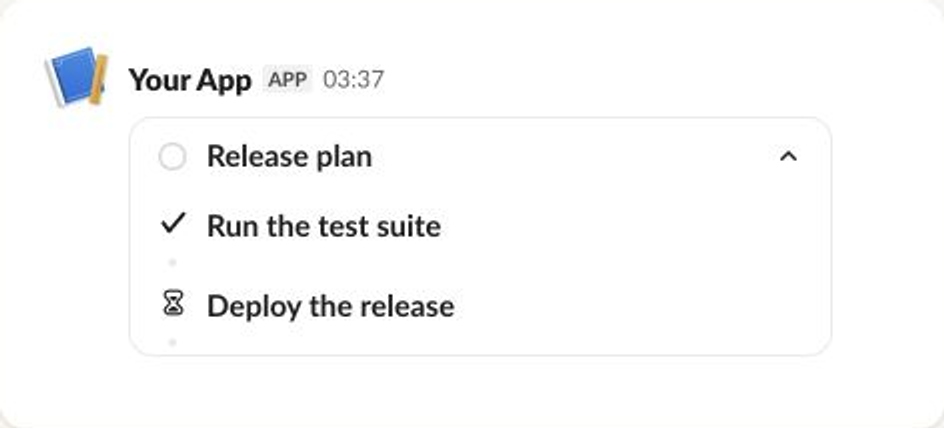
Higher-Level Components
Compose ordinary Python block lists and ContainerBlock values for reusable
layouts. Python does not currently expose the named Paginator and Accordion
helpers shown for other languages. Use block_kit_builder_url for preview links;
see Utilities and Blocks.
Higher-Level Components
Components package common layout behavior while still producing ordinary Block Kit
blocks. Pass them directly to a fluent collection setter such as Message().blocks();
the parent expands the component when you call .build().
Paginator
Paginator() selects one page of content and adds standard context and actions blocks
for navigation. Its previous and next button values contain the one-based page number
your interaction handler should render next.
import { Message, Paginator, SectionBlock } from "@nicklambourne/slackblocks";
const payload = Message()
.channel("C01234567")
.text("Search results")
.blocks(
Paginator()
.blocks(
SectionBlock().text("Result one"),
SectionBlock().text("Result two"),
SectionBlock().text("Result three"),
)
.actionIdPrefix("search-results")
.page(1)
.pageSize(2),
)
.build();
The component is deliberately state-free: your Slack action handler reads the button value, creates the same paginator with that page, and updates the message.
Accordion
Accordion() expands into Slack-native collapsible container blocks, so expanding and
collapsing sections does not require an application-side interaction handler.
import {
Accordion,
AccordionSection,
Message,
SectionBlock,
} from "@nicklambourne/slackblocks";
const payload = Message()
.channel("C01234567")
.text("Deployment details")
.blocks(
Accordion().sections(
AccordionSection()
.title("Summary")
.expanded(true)
.blocks(SectionBlock().text("Version 2.2.0 is ready.")),
AccordionSection()
.title("Checks")
.blocks(SectionBlock().text("All required checks passed.")),
),
)
.build();
See Components for every setter and validation rule.
Higher-Level Components
Components expand to ordinary slack.Block values. Call SlackBlocks() and pass the
result straight to slack.MsgOptionBlocks; use BuildMany() only when composing a raw
JSON payload.
Paginator
blocks, err := slackblocks.NewPaginator().
Blocks(
slackblocks.NewSectionBlock().Text("Result one"),
slackblocks.NewSectionBlock().Text("Result two"),
slackblocks.NewSectionBlock().Text("Result three"),
).
ActionIDPrefix("search-results").
Page(1).
PageSize(2).
SlackBlocks()
if err == nil {
_, _, err = client.PostMessageContext(
ctx,
"C01234567",
slack.MsgOptionText("Search results", false),
slack.MsgOptionBlocks(blocks...),
)
}
The previous and next button values contain the one-based page for your action handler to render.
Accordion
blocks, err := slackblocks.NewAccordion().Sections(
slackblocks.NewAccordionSection().
Title("Summary").
Expanded(true).
Blocks(slackblocks.NewSectionBlock().Text("Version 2.2.0 is ready.")),
slackblocks.NewAccordionSection().
Title("Checks").
Blocks(slackblocks.NewSectionBlock().Text("All required checks passed.")),
).SlackBlocks()
if err == nil {
_, _, err = client.PostMessageContext(
ctx,
"C01234567",
slack.MsgOptionText("Deployment details", false),
slack.MsgOptionBlocks(blocks...),
)
}
Accordion sections use Slack-native collapsible containers and need no application-side expansion handler. See Components for the complete API.
Higher-Level Components
Components expand to ordinary immutable Block values. Pass those values directly to the official Slack Java SDK, just like a single block.
Paginator
List<Block> blocks = Paginator.builder("search-results")
.blocks(
SectionBlock.builder().markdownText("Result one").build(),
SectionBlock.builder().markdownText("Result two").build(),
SectionBlock.builder().markdownText("Result three").build())
.page(1)
.pageSize(2)
.build();
ChatPostMessageRequest request = ChatPostMessageRequest.builder()
.channel("C01234567")
.text("Search results")
.blocks(List.copyOf(blocks))
.build();
The previous and next button values contain the one-based page for your action handler to render.
Accordion
List<Block> blocks = Accordion.builder()
.sections(
AccordionSection.builder("Summary")
.expanded(true)
.blocks(SectionBlock.builder().markdownText("Version 2.2.0 is ready.").build())
.build(),
AccordionSection.builder("Checks")
.blocks(SectionBlock.builder().markdownText("All required checks passed.").build())
.build())
.build();
ChatPostMessageRequest request = ChatPostMessageRequest.builder()
.channel("C01234567")
.text("Deployment details")
.blocks(List.copyOf(blocks))
.build();
Accordion sections use Slack-native collapsible containers and need no application-side expansion handler. See Components for the complete API.
Higher-Level Components
Components return ordinary IBlock values. Spread them into any block collection, just like a single block.
Paginator
var blocks = Paginator.Create(
"search-results",
[
new SectionBlock(text: "Result one"),
new SectionBlock(text: "Result two"),
new SectionBlock(text: "Result three"),
],
page: 1,
pageSize: 2);
var message = new MessagePayload("C01234567", text: "Search results", blocks: [.. blocks]);
The previous and next button values contain the one-based page for your action handler to render.
Accordion
var blocks = Accordion.Create([
AccordionSection.Create("Summary", [new SectionBlock(text: "Version 2.2.0 is ready.")], expanded: true),
AccordionSection.Create("Checks", [new SectionBlock(text: "All required checks passed.")]),
]);
var message = new MessagePayload("C01234567", text: "Deployment details", blocks: [.. blocks]);
Accordion sections use Slack-native collapsible containers and need no application-side expansion handler. See Components for the complete API.
Higher-Level Components
Accordion sections render as collapsible containers. Pagination returns an array of ordinary blocks; the receiving message validates the expanded result.
require "slackblocks"
include Slackblocks
section = AccordionSection.create(
title: "Checks", blocks: [SectionBlock.new(text: "All checks passed.")]
)
blocks = Accordion.create(sections: [section])
page = Paginator.create(action_id_prefix: "builds", blocks: blocks, page_size: 5)
puts JSON.generate(page.map(&:as_json))
See Components for navigation labels and page options.
The Rust API also provides Accordion, AccordionSection, Paginator, Workflow::from_url, attachment colors and block_kit_builder_url. See the recipe book and components reference for native examples.
Higher-Level Components
AccordionSection::create() returns a collapsible ContainerBlock;
Accordion::create() and Paginator::create() return lists of ordinary blocks.
Spread them into a payload to validate the total block count. Pagination uses
one-based page numbers and emits .previous/.next action IDs and page values;
your interaction handler chooses the next page. Accordion expansion is native
to Slack. See the recipe book and components reference.
Higher-Level Components
Components return ordinary block lists; the application owns state and interaction routing.
alias Slackblocks.Blocks.Section
alias Slackblocks.Components.{Accordion, AccordionSection, Paginator}
sections =
Accordion.to_blocks!([
AccordionSection.new!(title: "Details", blocks: [Section.new!(text: "Ready")])
])
page =
Paginator.to_blocks!([Section.new!(text: "One"), Section.new!(text: "Two")],
action_id_prefix: "releases",
page: 1,
page_size: 1
)
Slackblocks.Message.new!(channel: "C1", text: "Releases", blocks: sections ++ page)
|> Slackblocks.to_map!()
Put expanded blocks in the final payload so aggregate limits are checked. See Components for all options and defaults.